Guide employees away from unapproved tools

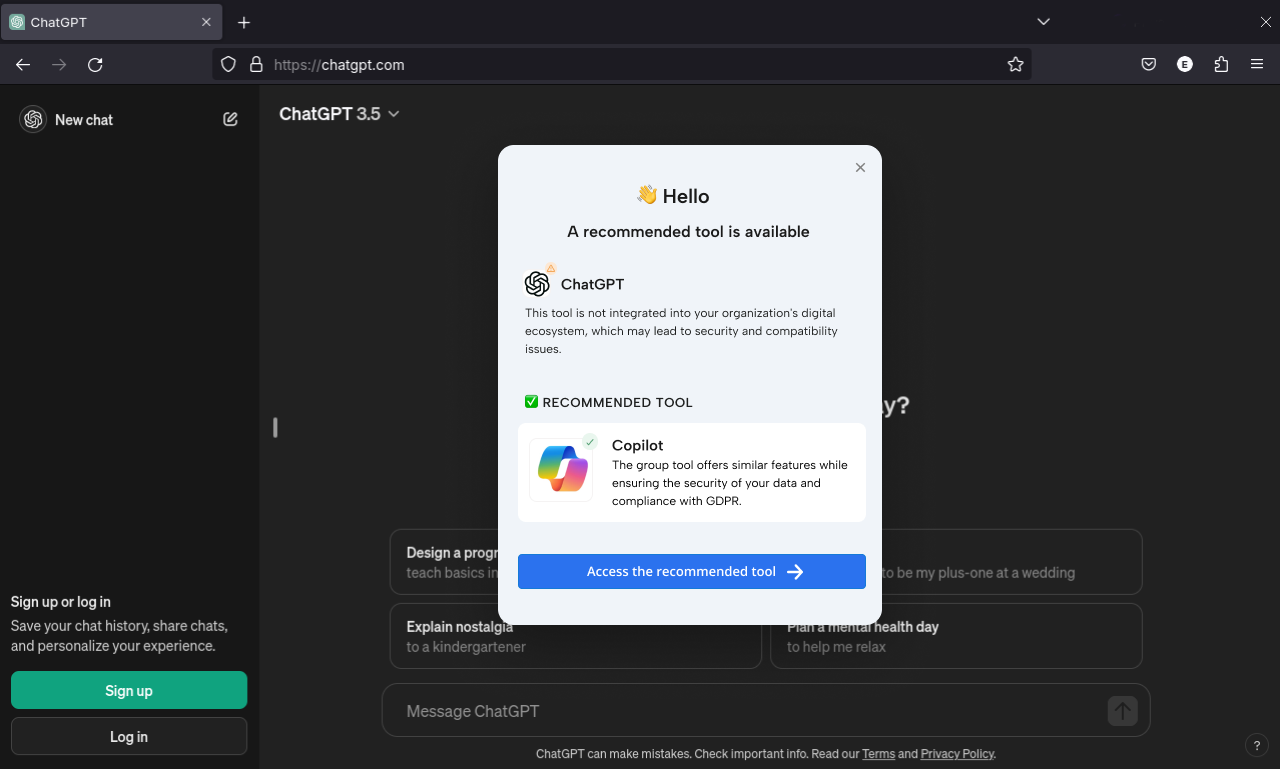
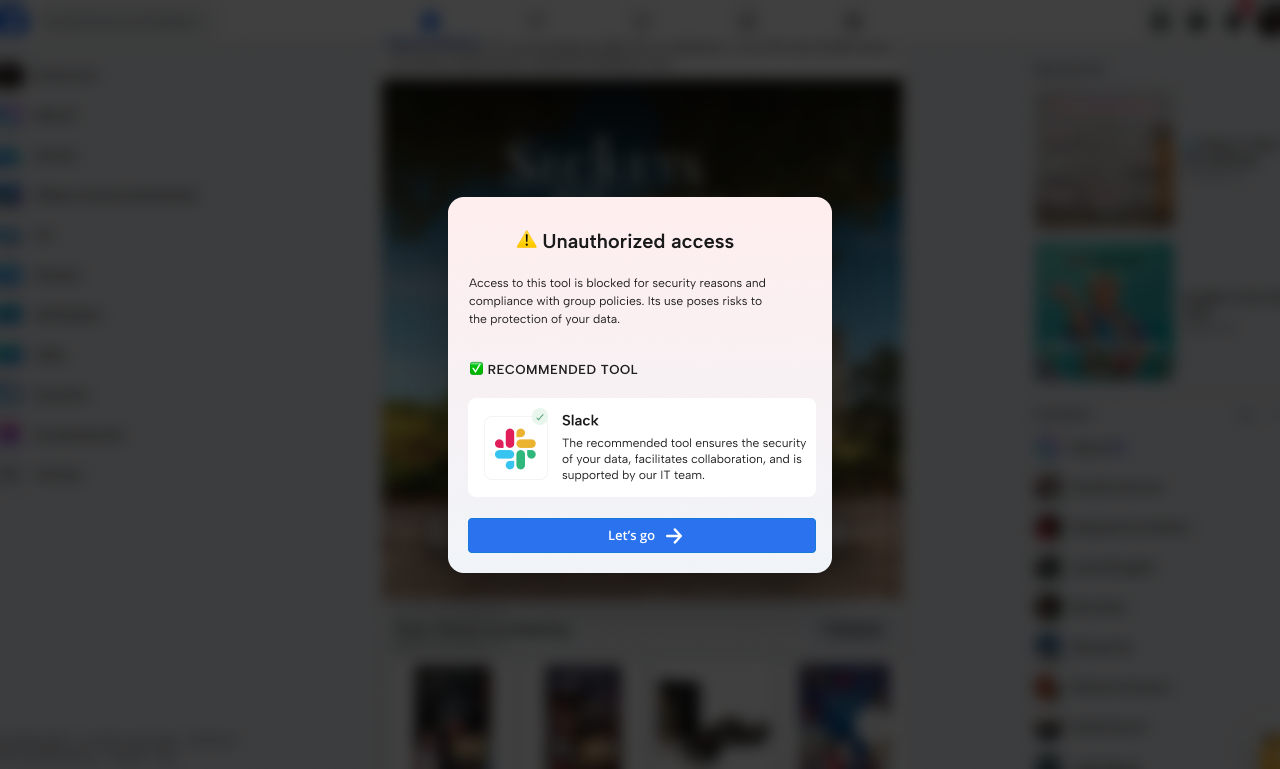
Notify your users the moment they open an unapproved tool and guide them away before risks emerge.

Shadow IT - unauthorized access

With over 200 companies trained, Lemon Learning helps thousands of employees every day to better use their business applications. 

  • just-eat
  • amazon-logo-1
  • Véolia
  • decathlon
  • 1024px-Stellantis.svg
  • haribo
  • logo-pwc
  • logo-michelin
  • logo-emory-university
  • World_Health_Organization_Logo
  • martin-brower_logo
  • edf
  • BNP-paribas
Gouvernance IT - Notif de redirection

Lead users to the approved alternative

Shadow IT doesn’t happen by accident. It appears when employees feel the approved tools slow them down or don’t meet their needs.

Instead of blocking productivity, Lemon Learning intervenes in the moment of diversion, recommends the approved alternative, and keeps work flowing inside secure, compliant platforms.

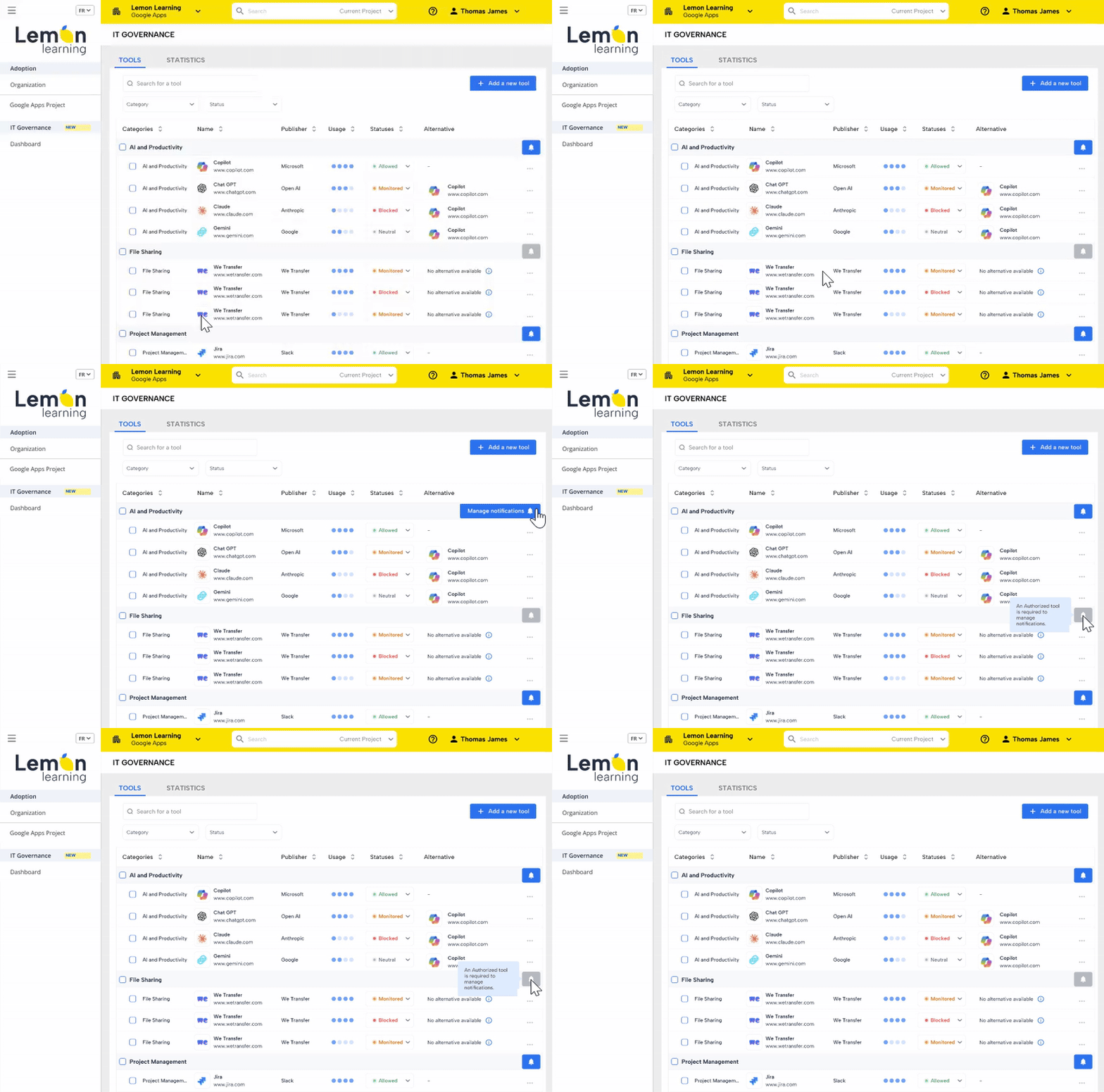
Gain visibility into Shadow IT across your digital workplace

Most organisations don’t know which tools employees actually use and which ones they avoid.

Gain real visibility into usage patterns, monitored tools, blocked applications, and approved alternatives, helping you track risks, adoption gaps, and tool sprawl before it escalates.

it-governance-gif

Immediate, sustainable and measurable skills development

“We know now that members in every team drift to unapproved tools, but in the first month alone, Lemon’s in-app reminders managed to cut those detours by about 45%.”

“Our support team stopped getting the same questions every day; once Lemon guided users to the right tools, tickets about blocked apps dropped by about 28%.”

"We had three different ways of using Gemini across countries. Lemon micro-guides simplified everything. Teams are progressing faster, and we can clearly see the impact."

A solution ready to deploy, designed for Shadow IT prevention

security-icon

Block unapproved tools before risks occur

Prevent employees from accessing non-compliant applications with automatic in-context blocking messages that explain the security and compliance risks.

arrow

Redirect users to approved alternatives

When users attempt to access unapproved tools, suggest the secure, IT-validated option, keeping work compliant without slowing productivity.

zero_code-1

Configure governance rules without IT burden

Define which tools are blocked, monitored, or allowed, and customize messaging, categories, and alternatives — directly from the IT Governance interface.

revenus (1)

Monitor usage and Shadow IT signals

Get visibility into real application usage, tool substitutions, and compliance status across your SaaS ecosystem from a central dashboard.

Frequently Asked Questions about Shadow IT

Q1. What is Shadow IT and why does it matter for organisations?

Shadow IT refers to the use of unapproved apps, SaaS tools, or cloud services by employees, creating risks around security, data protection, and compliance.

Q2. How can Lemon Learning help reduce Shadow IT without blocking productivity?

Lemon Learning guides users inside their applications, redirecting them toward approved tools so organisations stay secure without disrupting work.

Q3. Does Lemon Learning detect when employees try to use unapproved applications?

Yes. Lemon Learning notifies users the moment they attempt to access unapproved tools and helps steer them back to compliant alternatives.

Q4. Can we redirect users to approved tools and explain the compliance reasons behind it?

Yes. Lemon Learning displays in-context messages explaining why a tool is not authorised and recommends the approved option supported by IT policies.

Q5. Do we need to replace our LMS, change our systems, or integrate complex security tools?

No. Lemon Learning works inside your existing applications and requires no LMS migration, no system overhaul, and no heavy deployment.