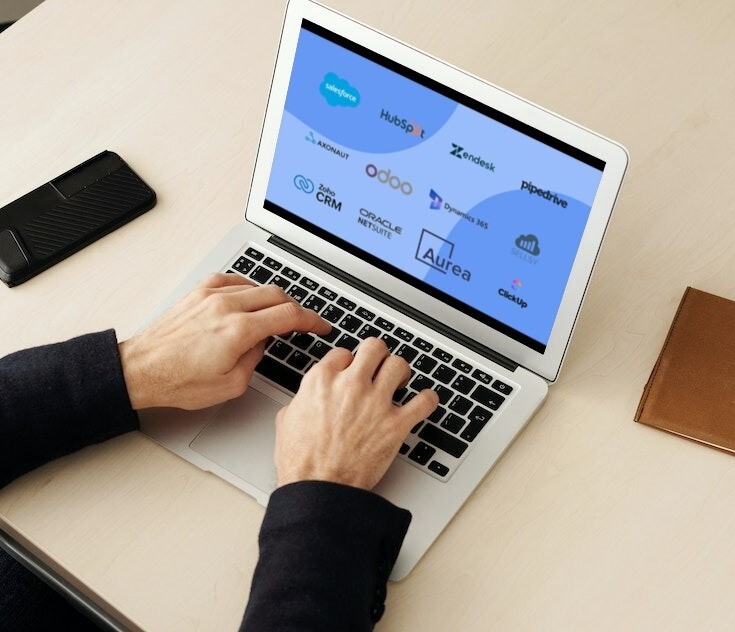
Choosing the right CRM (Customer Relationship Management) software is one of the most consequential technology decisions a business can make. The right platform centralizes customer data, automates repetitive tasks, and gives sales, marketing, and service teams a shared view of every relationship. The wrong one creates friction, low adoption, and wasted investment.
This guide compares the 21 most relevant CRM solutions for 2026, covering free and paid options, cloud and on-premise deployments, and platforms suited to small and medium-sized businesses (SMBs) as well as large enterprises. Use the interactive list below to compare them side by side, then read on for a short review of each platform and a practical selection framework.
Quick answer: The best CRM depends on company size and workflow.
Enterprises: Salesforce Sales Cloud, Microsoft Dynamics 365, SAP Sales Cloud, or Oracle CX.
SMBs: HubSpot CRM, Zoho CRM, Pipedrive, or Freshsales.
Relationship-focused small businesses: BIGContacts or Nimble.
Free or open-source options: HubSpot CRM, Zoho CRM (up to 3 users), SuiteCRM, and Odoo Community.
What Is CRM Software and Why Does It Matter in 2026?
CRM software is a platform that helps organizations manage interactions with current and prospective customers. It consolidates contact records, deal pipelines, communication history, and reporting into a single system that every customer-facing team can access.
CRM is also one of the largest categories of business software. According to Gartner, the worldwide CRM software market reached $128 billion in 2024, growing 13.4% year over year.
In 2026, CRM platforms go far beyond contact management. Leading solutions now embed artificial intelligence (AI) for lead scoring, predictive forecasting, and automated outreach, while integration with communication tools, marketing automation, and enterprise resource planning (ERP) systems has become standard. For most businesses, the question is no longer whether to adopt a CRM, but which one best fits their workflows and growth stage.
What Are the Main Types of CRM Software?
There are four main types of CRM software: operational, analytical, collaborative, and strategic. Understanding these categories before evaluating individual tools prevents scope mismatch and implementation regret.
Operational CRM
Operational CRM systems automate day-to-day sales, marketing, and customer service processes. They are the most common type and suit teams that need pipeline management, automated follow-ups, and structured workflows. Examples include Salesforce Sales Cloud, HubSpot CRM, and Pipedrive.
Analytical CRM
Analytical CRM platforms prioritize data analysis and reporting. They aggregate customer data from multiple sources to surface trends, segment audiences, and inform strategy. SAP CRM and Microsoft Dynamics 365 Customer Insights are frequently cited examples.
Collaborative CRM
Collaborative CRM tools break down silos between sales, marketing, and customer support, so every team member has the same customer context before any interaction. Freshworks CRM and Zoho CRM both offer strong collaboration features.
Strategic CRM
Strategic CRM places long-term customer value at the center of business decisions. Rather than optimizing single transactions, it models lifetime relationships and guides resource allocation accordingly. This approach is embedded in enterprise platforms such as Oracle CX and Salesforce.
Which CRM Software Platforms Lead the Market in 2026?
The following table summarizes the 20 platforms most frequently cited in independent 2026 rankings, organized by their primary use case and deployment model. Pricing tiers and feature sets evolve rapidly, so always verify current details directly with the vendor.
Platform
Best For
Deployment
Free Tier Available
Salesforce Sales Cloud
Enterprise sales teams
Cloud (SaaS)
No (trial only)
HubSpot CRM
SMBs, inbound marketing
Cloud (SaaS)
Yes
Microsoft Dynamics 365
Microsoft ecosystem users
Cloud / On-premise
No (trial only)
Zoho CRM
SMBs, automation
Cloud (SaaS)
Yes (up to 3 users)
Pipedrive
Visual pipeline management
Cloud (SaaS)
No (trial only)
SAP CRM / SAP Sales Cloud
Large enterprises, SAP ecosystems
Cloud / On-premise
No
Oracle CX (Customer Experience)
Enterprise, complex B2B
Cloud (SaaS)
No
Freshsales (Freshworks)
SMBs, built-in telephony
Cloud (SaaS)
Yes
SugarCRM
Mid-market, customization
Cloud / On-premise
No
monday CRM
Teams already using monday.com
Cloud (SaaS)
No (trial only)
Bitrix24
Full business suite, SMBs
Cloud / On-premise
Yes
EngageBay
SMBs, built-in help desk
Cloud (SaaS)
Yes
SuiteCRM
Open-source, self-hosted
On-premise / SaaS
Yes (open source)
Insightly
Project-linked sales workflows
Cloud (SaaS)
Yes
Copper CRM
Google Workspace users
Cloud (SaaS)
No (trial only)
Nimble
Social selling, relationship focus
Cloud (SaaS)
No (trial only)
ClickUp
CRM + project management combined
Cloud (SaaS)
Yes
Keap (formerly Infusionsoft)
Small business automation
Cloud (SaaS)
No (trial only)
Streak
Gmail-native CRM
Cloud (SaaS)
Yes
Odoo CRM
Open-source, modular ERP+CRM
Cloud / On-premise
Yes (community edition)
BigContacts
Small businesses, relationship management
Cloud (SaaS)
No (trial only)
The 21 CRM Platforms Reviewed
Below is a short overview of each platform: what it does well and who it suits best.
1. Salesforce Sales Cloud
Salesforce is the global CRM market leader, covering sales automation, service, marketing, and AI-driven analytics through Salesforce Einstein. Its AppExchange marketplace offers thousands of integrations.
Best for: enterprise sales teams with dedicated CRM administrators.
2. HubSpot CRM
HubSpot CRM combines contact and deal management with marketing, sales, and service hubs. Its free plan covers core CRM features for unlimited users.
Best for: SMBs focused on inbound marketing.
3. Microsoft Dynamics 365
Dynamics 365 integrates deeply with Microsoft 365, Teams, Azure, and Power BI, and supports both cloud and on-premise deployment.
Best for: organizations standardized on Microsoft tools.
4. Zoho CRM
Zoho CRM offers strong workflow automation at an accessible price, and its free tier supports up to three users.
Best for: SMBs that want automation without enterprise complexity.
5. Pipedrive
Pipedrive is built around a visual, drag-and-drop sales pipeline that keeps reps focused on the next action for each deal.
Best for: small sales teams managing deal flow.
6. SAP CRM / SAP Sales Cloud
SAP Sales Cloud is part of the SAP Customer Experience suite and connects CRM with SAP ERP financial and supply-chain data.
Best for: large enterprises already running SAP.
7. Oracle CX (Customer Experience)
Oracle CX covers the full customer lifecycle, from marketing and sales to service and commerce, with strong configure-price-quote (CPQ) capabilities.
Best for: large B2B organizations with complex sales processes.
8. Freshsales (Freshworks)
Freshsales includes built-in phone, email, and AI-assisted lead scoring in one interface, with a free plan for small teams.
Best for: SMBs that sell by phone.
9. SugarCRM
SugarCRM is highly customizable and available in the cloud or on-premise.
Best for: mid-market companies with specific process requirements.
10. monday CRM
monday CRM brings sales pipelines into the monday.com work management platform, with flexible boards and automations.
Best for: teams already using monday.com.
11. Bitrix24
Bitrix24 bundles CRM with collaboration, tasks, and communication tools, and offers a free plan.
Best for: SMBs that want an all-in-one business suite.
12. EngageBay
EngageBay combines marketing, sales, and help desk tools in one affordable platform.
Best for: small businesses that need CRM and customer support together.
13. SuiteCRM
SuiteCRM is the most widely adopted open-source CRM, available as a self-hosted download or managed SaaS, with no per-user licensing fee.
Best for: technical teams that want full data control.
14. Insightly
Insightly links sales opportunities to project delivery, so teams can manage work after a deal closes.
Best for: businesses where sales and project delivery overlap.
15. Copper CRM
Copper is built natively for Google Workspace and works directly inside Gmail and Google Calendar.
Best for: teams that live in Google Workspace.
16. Nimble
Nimble combines contact management with social media insights to support relationship-led selling. Best for: social selling and relationship-focused teams.
17. ClickUp
ClickUp is a work management platform that can be configured as a CRM, combining sales tracking with project management.
Best for: teams that want CRM and project management in one tool.
18. Keap (formerly Infusionsoft)
Keap focuses on sales and marketing automation for small businesses, including follow-up sequences, invoicing, and payments.
Best for: small businesses automating repetitive follow-up.
19. Streak
Streak turns Gmail into a CRM, so pipelines and contacts sit directly inside the inbox. Best for: small teams that manage relationships through email.
20. Odoo CRM
Odoo CRM is part of a modular open-source suite that also covers inventory, accounting, and manufacturing. The Community edition is free.
Best for: businesses that want CRM and ERP on one platform.
21. BIGContacts
BIGContacts is a simple CRM and contact management solution designed for growing businesses. Founded in 2009 and based in the United States, it helps teams organize customer information, track sales opportunities, manage tasks and follow-ups, and automate email marketing from one platform. Customizable workflows, sales pipelines, contact lists, and reporting help small businesses manage customer relationships and improve sales efficiency. It is used by small and growing businesses across multiple industries and offers a free trial.
Best for: small businesses focused on relationship management.
Which CRM Is Best for Your Use Case?
Use this shortlist to match your situation to the right platforms:
Best CRM for large enterprises: Salesforce Sales Cloud, Microsoft Dynamics 365, SAP Sales Cloud, Oracle CX
Best free CRM: HubSpot CRM, Zoho CRM, Freshsales, Bitrix24
Best CRM for small businesses: HubSpot CRM, Zoho CRM, Pipedrive, BIGContacts
Best CRM for relationship management: BIGContacts, Nimble
Best CRM for Microsoft users: Microsoft Dynamics 365
Best CRM for Google Workspace users: Copper CRM, Streak
Best open-source CRM: SuiteCRM, Odoo CRM
Best CRM for visual pipeline management: Pipedrive
Best CRM with project management: ClickUp, Insightly, monday CRM
Best CRM for mid-market customization: SugarCRM
What Should SMBs Look for When Choosing CRM Software?
SMBs should prioritize ease of use, affordable entry pricing, native integrations, and a fit with how they actually sell. Budget, implementation complexity, and internal IT capacity all shape which CRM is genuinely useful versus aspirationally appealing.
Ease of setup and use
A CRM that takes months to configure is a liability for a lean team. HubSpot CRM and Zoho CRM are consistently ranked among the easiest to deploy because they offer pre-built templates, guided onboarding, and intuitive navigation that does not require dedicated administrators. Run a two-week trial with actual end users, not just IT staff, before committing.
Free and affordable entry points
Several platforms offer free tiers that remain useful beyond a trial period. HubSpot CRM's free plan covers unlimited users with core contact and deal management. Zoho CRM's free tier supports up to three users. Bitrix24, EngageBay, and Streak also offer usable free plans. For teams starting out, these options reduce financial risk while building CRM habits.
Integration with existing tools
Adoption is significantly higher when the CRM connects natively with tools already in daily use: email, calendar, marketing automation, and accounting software. Copper CRM, for example, is built for Google Workspace, making it a natural choice for teams already working in Gmail and Google Calendar.
Relationship management over feature depth
Not every small business needs a full sales automation suite. For teams whose growth depends on nurturing long-term customer relationships, a simpler, contact-centric CRM is often easier to adopt and maintain than a scaled-down enterprise platform. BIGContacts is built for exactly this: contacts, follow-ups, pipelines, and email marketing in one place, without the overhead of a large platform. Nimble takes a similar relationship-first approach, with a stronger focus on social selling.
Scalability
A CRM that fits today but not tomorrow forces a painful migration within a few years. Salesforce and Microsoft Dynamics 365 scale from small teams to thousands of users, though their entry costs are higher. Mid-market tools like SugarCRM and Odoo CRM offer a middle path with strong customization as needs grow.
What Should Enterprises Look for in a CRM Platform?
Enterprise CRM selection is less about cost per seat and more about integration depth, security, compliance, and the ability to support complex, multi-country sales and service operations.
Ecosystem fit
The strongest enterprise choice is often the one that fits your existing stack. Microsoft Dynamics 365 suits organizations standardized on Microsoft 365 and Azure. SAP Sales Cloud suits companies running SAP ERP, where deal configuration depends on real-time inventory and cost data. Salesforce offers the broadest third-party ecosystem through AppExchange.
Security, compliance, and data residency
Global organizations need granular access controls, audit trails, and clear data residency options. Check where customer data is hosted and how the vendor supports regulations such as GDPR before shortlisting.
Implementation and change capacity
Large deployments of Salesforce, Oracle CX, or SAP typically require dedicated administrators and external consultants. Plan for the internal effort needed to configure, train, and support thousands of users, not just the licensing cost.
Why Does CRM Adoption Fail, and How Can You Prevent It?
Selecting the right CRM platform is only the first challenge. Research and practitioner experience consistently show that CRM projects underperform not because of technology limitations but because of inadequate user adoption. Teams revert to spreadsheets, email threads, and personal notebooks when the CRM feels slower or more cumbersome than their existing habits.
"The key to digital success is data, and to capture it someone has to enter it. It is not the executive committee that enters the data, it is the end user; if they enter it well, then we can use it."
Alexis de Nervaux, CDIO, Icade, on the Lemon Learning podcast
This observation cuts to the heart of CRM value: the platform is only as good as the data entered into it, and that data quality depends entirely on end-user behavior. Three practices consistently improve CRM adoption rates:
Role-based training delivered in context
Generic CRM training delivered in a classroom or via static documentation has poor retention. Users forget procedures they learned in isolation by the time they need to apply them in their actual workflow. Training that appears directly inside the CRM interface, at the moment a user is completing a task, produces significantly better retention and fewer support tickets. This is the core principle behind Lemon Learning's sales operations enablement approach, which delivers in-application guidance for CRM and other enterprise tools.
Change management alongside technical deployment
Introducing a new CRM disrupts established habits. Communicating the "why" before go-live, involving future users in configuration decisions, and identifying internal champions who can support peers all reduce resistance. For a structured approach, see how to improve CRM adoption within your organization.
Ongoing support, not a one-time launch
CRM platforms release updates frequently, and user needs evolve. Building a lightweight ongoing support structure, whether through an internal knowledge base, a super-user network, or a digital adoption platform that updates in-app guidance alongside software changes, prevents the gradual decay in data quality that follows initial launch enthusiasm.
Cloud CRM vs. On-Premise CRM: Which Deployment Model Is Right for You?
Cloud CRM is the practical default for most businesses in 2026, while on-premise CRM suits organizations with strict data residency or deep customization needs. The choice affects cost structure, security posture, customization depth, and maintenance burden.
Factor
Cloud / SaaS CRM
On-Premise CRM
Upfront cost
Low (subscription-based)
High (license + infrastructure)
Ongoing cost
Predictable monthly/annual fee
Lower once amortized; maintenance costs remain
Implementation speed
Fast (days to weeks)
Slow (weeks to months)
Customization depth
Moderate (API and no-code tools)
High (full source access for open-source platforms)
Data residency control
Depends on vendor geography
Full control
Maintenance burden
Vendor-managed updates
Internal IT team responsible
Scalability
Elastic, add seats instantly
Hardware-dependent
Best for
SMBs, fast-growing teams
Regulated industries, specific data sovereignty requirements
For most SMBs, cloud CRM is the practical default in 2026. On-premise deployments remain relevant for organizations with strict data residency requirements, heavy customization needs, or existing infrastructure investments. Open-source platforms like SuiteCRM and Odoo CRM offer a hybrid path: self-hosted for data control, but with active community support rather than a full vendor dependency.
Open-source platforms like SuiteCRM and Odoo CRM offer a hybrid path: self-hosted for data control, with active community support rather than full vendor dependency.
How to Evaluate and Select CRM Software: A Practical Framework
To select CRM software, follow five steps: define requirements, build a shortlist, run trials with real users, assess total cost of ownership, and plan adoption from day one. This structure prevents the most common mistake: choosing a platform based on brand recognition or a persuasive demo rather than actual fit.
Step 1: Define your requirements before looking at platforms
Document the sales, marketing, and service processes the CRM must support. Identify must-have integrations (email, ERP, e-commerce, telephony). Set a realistic budget including implementation, training, and ongoing licensing. Confirm the number of users and their technical confidence. Our guide on what to look for in a CRM covers the key evaluation criteria.
Step 2: Build a shortlist of three to five platforms
Use the table and use-case shortlist above as a starting point. Filter first by deployment model, then by free-tier availability if budget is a constraint, then by integration requirements. Avoid evaluating more than five platforms in depth: evaluation fatigue leads to poor decisions.
Step 3: Run structured trials with real users
Activate free trials or sandbox environments. Give representative users from sales, marketing, and support a set of real tasks to complete in each platform. Collect structured feedback on task completion time, errors, and ease of use. This data is more reliable than vendor demos.
Step 4: Assess total cost of ownership (TCO)
Licensing fees are rarely the largest cost. Implementation consulting, data migration, integration development, and ongoing training often exceed first-year licensing costs for complex platforms. Build a three-year TCO model before deciding.
Step 5: Plan adoption from day one
Assign an internal project owner. Define the go-live date and a 90-day adoption metric, such as the percentage of deals logged in the CRM within 24 hours of creation. Decide on the training approach before go-live, not after. For teams implementing CRM alongside broader digital transformation, it is also worth understanding how ERP and CRM platforms complement each other.
Open-Source CRM: A Viable Alternative for Technical Teams
Open-source CRM platforms give organizations full control over source code, data, and customization. They are particularly relevant for teams with in-house development capacity, organizations in regulated sectors with strict data sovereignty requirements, and businesses that find commercial licensing costs prohibitive at scale.
SuiteCRM is the most widely adopted open-source CRM platform. It is built on the SugarCRM codebase and is available as a self-hosted download or as a managed SaaS deployment. It covers sales pipelines, marketing campaigns, customer support cases, and reporting without a per-user licensing fee. Odoo CRM, available in both community (open-source) and enterprise editions, integrates CRM with inventory, accounting, manufacturing, and project management modules, making it a compelling option for businesses that want a single platform across operations.
The trade-off is implementation and maintenance complexity. Open-source deployments require internal technical resources or a specialist implementation partner. Security patches and version upgrades are the organization's responsibility rather than the vendor's.
The Role of a Digital Adoption Platform in CRM Success
Even the best-selected CRM delivers poor results if users do not know how to use it effectively. A Digital Adoption Platform (DAP) addresses this by embedding interactive guidance, tooltips, and step-by-step walkthroughs directly inside the CRM interface, visible at the moment a user needs help rather than in a separate training environment.
For sales teams managing complex CRM workflows, contextual in-app guidance reduces onboarding time, lowers support ticket volume, and maintains data quality as the platform evolves. Lemon Learning is a DAP designed to work alongside CRM platforms including Salesforce, Microsoft Dynamics 365, and others, helping organizations protect their CRM investment through sustained adoption rather than a one-time training event. You can explore how this works on the sales operations enablement page.
Key Takeaways
CRM software centralizes customer data, automates workflows, and improves collaboration across sales, marketing, and service teams.
The 20 platforms in this list cover a wide range of needs: free and paid, cloud and on-premise, SMB-focused and enterprise-grade.
Ease of use, integration depth, scalability, and total cost of ownership are the most important selection criteria for most organizations.
CRM projects most often fail because of poor user adoption, not platform limitations. Training, change management, and in-application support are as important as the technology itself.
Open-source platforms like SuiteCRM and Odoo CRM are credible alternatives for technically capable teams with data control requirements.
A Digital Adoption Platform embedded in the CRM interface significantly improves long-term adoption and data quality.
FAQ
Frequently asked questions
What is the top 10 CRM software?+
The most consistently cited CRM platforms across independent rankings include Salesforce, HubSpot CRM, Microsoft Dynamics 365, Zoho CRM, Pipedrive, Oracle CX, SAP CRM, Freshsales, monday CRM, and SugarCRM. The best choice depends on company size, budget, and the specific sales, marketing, or service workflows you need to support.
How do you download CRM software?+
For cloud-based (SaaS) CRM platforms such as HubSpot or Zoho CRM, there is nothing to download: you create an account and access the software through a web browser or a mobile app. For on-premise or open-source CRMs such as SuiteCRM, you download an installation package from the vendor's official website and deploy it on your own servers. Our interactive list embedded in this article lets you review and compare options before you commit to any platform.
What is the easiest CRM software to use?+
HubSpot CRM and Zoho CRM are frequently highlighted as the most user-friendly options because of their clean interfaces, guided onboarding flows, and generous free tiers. Pipedrive is also praised for its visual sales pipeline. Ease of use is relative to your team's technical background, so piloting two or three platforms before a full rollout is strongly recommended.
Is Excel a CRM software?+
Excel is a spreadsheet application, not a dedicated CRM (Customer Relationship Management) system. While many small businesses track contacts in Excel, it lacks core CRM capabilities such as automated follow-up reminders, deal-stage pipelines, activity logging, real-time collaboration, and integration with email or telephony. As a team grows, moving from Excel to a purpose-built CRM typically improves data quality and reduces manual effort significantly.