










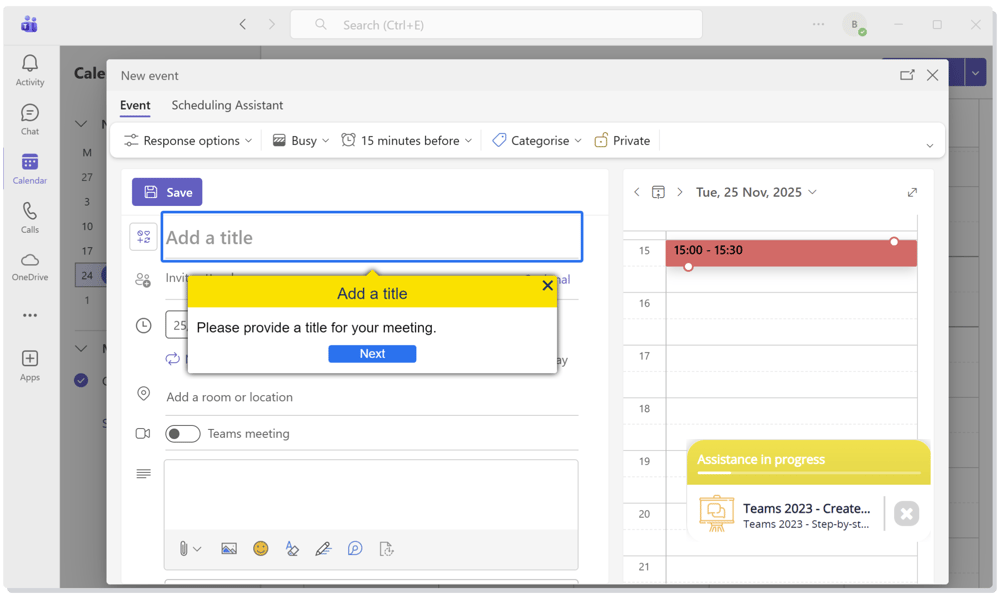
Bring guidance directly into your desktop applications
Most daily workflows happen inside native desktop tools, not the browser.
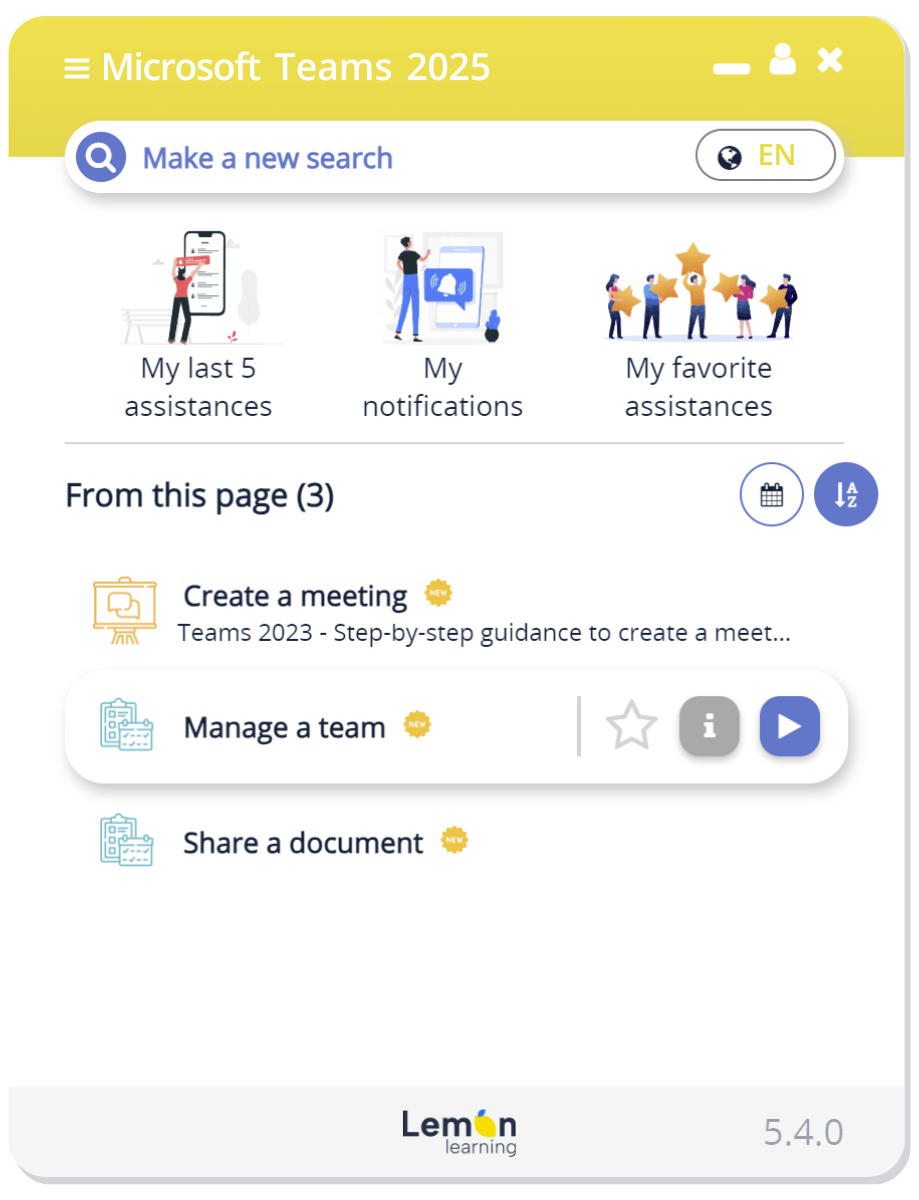
Lemon Learning embeds directly into applications like Microsoft Teams, Outlook, SAP, and more, so users get support.
Instead of searching for help or switching tabs, your teams learn inside their existing tools, with no disruption.

With over 200 companies trained, Lemon Learning helps thousands of employees every day to better use their business applications.

Give users instant, contextual help inside the interface
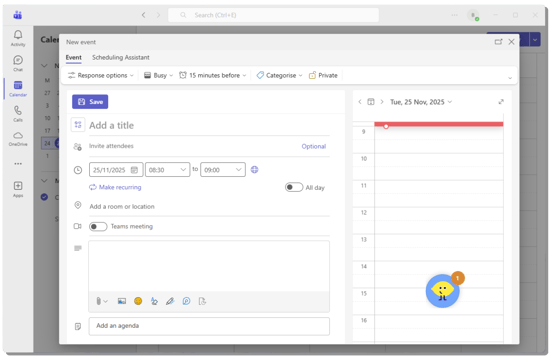
The Lemon Learning widget, "John Lemon", appears inside your desktop application and automatically surfaces the right guides based on what the user is doing.
No more guessing, no more digging for answers. Users get relevant support and in real time.
Build desktop training with no code
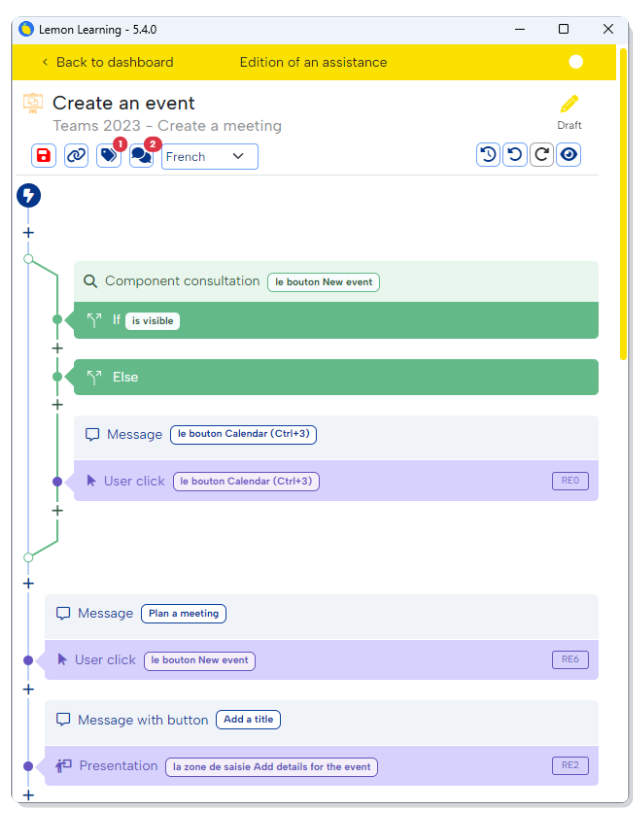
Creating guidance for desktop applications is simple. With Lemon Learning’s visual editor, you design step-by-step instructions, tooltips, and conditional paths — all without developers.
When processes change, update your guides in minutes and publish instantly across your organization.


Guide users step by step inside the desktop UI
Lemon Learning anchors each step directly onto the elements of your desktop application, showing users exactly where to click and what to do next.
This real-time walkthrough turns complex processes into simple, guided actions that boost adoption and reduce support tickets.
What our clients achieve
"Once we added Lemon to our desktop apps, the ‘How do I do this?’ tickets almost disappeared. People just figured things out on their own.”

“We used to send a series of PDFs for our desktop tools. Now Lemon walks people through the steps right inside the application. Our new hires get the hang of things much faster.”

“Our desktop tools are pretty strict, so mistakes used to slow everything down. With Lemon’s real-time prompts, people follow the right steps without thinking twice.”

Built to enhance your desktop workflows
Integrate smoothly with your desktop environment
Deploy Lemon Learning across your desktop apps with minimal setup and no disruption.

Standardize processes across every tool
Ensure consistent workflows in Teams, Outlook, SAP, and your internal applications.

Accelerate onboarding for complex desktop software
Help new users learn by doing with simple, in-app guidance inside the desktop interface.
FAQ – Desktop Applications
How does Lemon Learning work inside desktop applications?
Integration is straightforward for web applications, either through a small code snippet or by enabling the browser extension. For desktop tools and thick clients, Lemon Learning also supports clients lourds. Reach out to us to check compatibility.
Does Lemon Learning require installation on every device?
No. Lemon Learning can be deployed centrally through your usual IT distribution tools (SCCM, Intune, etc.), so end-users don’t need to install anything themselves. Once deployed, updates roll out automatically.
Will Lemon Learning slow down our desktop applications?
Not at all. The player is lightweight and optimized for enterprise environments. It runs alongside your desktop apps without impacting performance, loading times, or system resources.
Is Lemon Learning secure and compliant for enterprise use?
Yes. Lemon Learning follows strict security standards, including GDPR compliance, data encryption in transit and at rest, role-based access control, and a secure development lifecycle. We also follow ISO 27001 security principles and are in the final stages of certification. Lemon Learning never stores sensitive user data inside desktop applications. All content is managed through your secure admin console, and the player operates in full alignment with enterprise IT and privacy requirements.