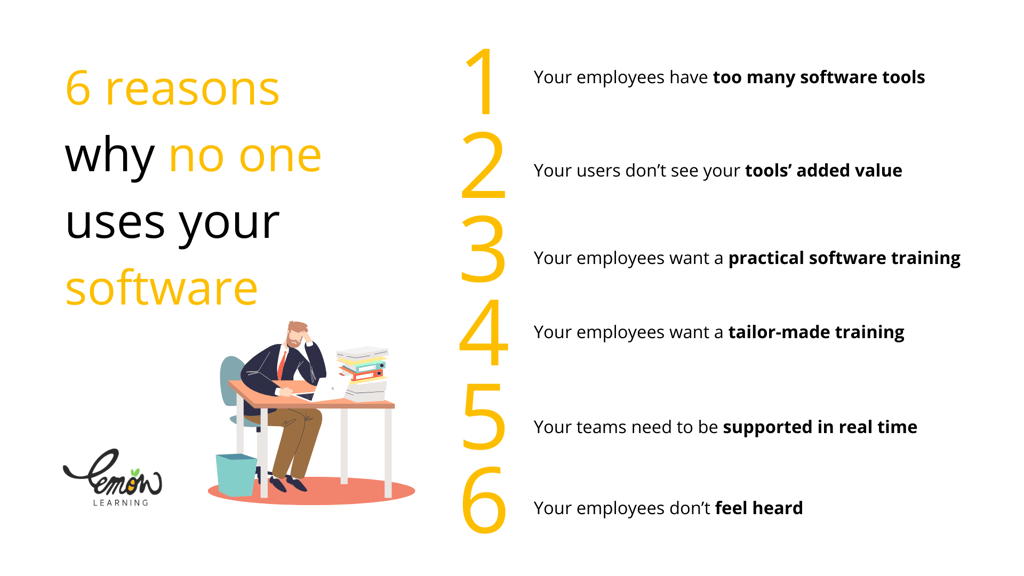
Low software adoption is one of the most expensive problems in enterprise IT. The six most common causes are tool overload, poor communication of value, impractical training, one-size-fits-all onboarding, lack of real-time support, and employees who feel unheard. Each one is fixable.
When a software rollout stalls, the instinct is to blame the tool. In most cases, the tool is not the problem. The problem is everything around it: how the rollout was communicated, how employees were trained, and how well the organization listens after go-live. This article breaks down the six most common reasons employees do not use their software and gives you a practical fix for each one. Whether you are dealing with poor adoption of an HRIS (Human Resources Information System), a CRM (Customer Relationship Management) platform, or any other enterprise application, these patterns apply.
Why do employees avoid software they are given?
Employees do not avoid software out of stubbornness. They avoid it because using it costs them effort that does not feel worth the reward. Understanding that trade-off is the starting point for any adoption strategy. Below are the six causes that most consistently tip that balance in the wrong direction.
1. Employees have too many tools and do not know where to start
Tool overload is one of the most underestimated adoption barriers. When employees must juggle multiple applications with overlapping functions, complex interfaces, and dense feature sets, the cognitive load alone is enough to push them back toward whatever they already know, whether that is a spreadsheet, an email thread, or a manual process.
The fix is not to strip out functionality. It is to bring guidance directly into the tools employees already have open.
Train employees inside the software, not outside it
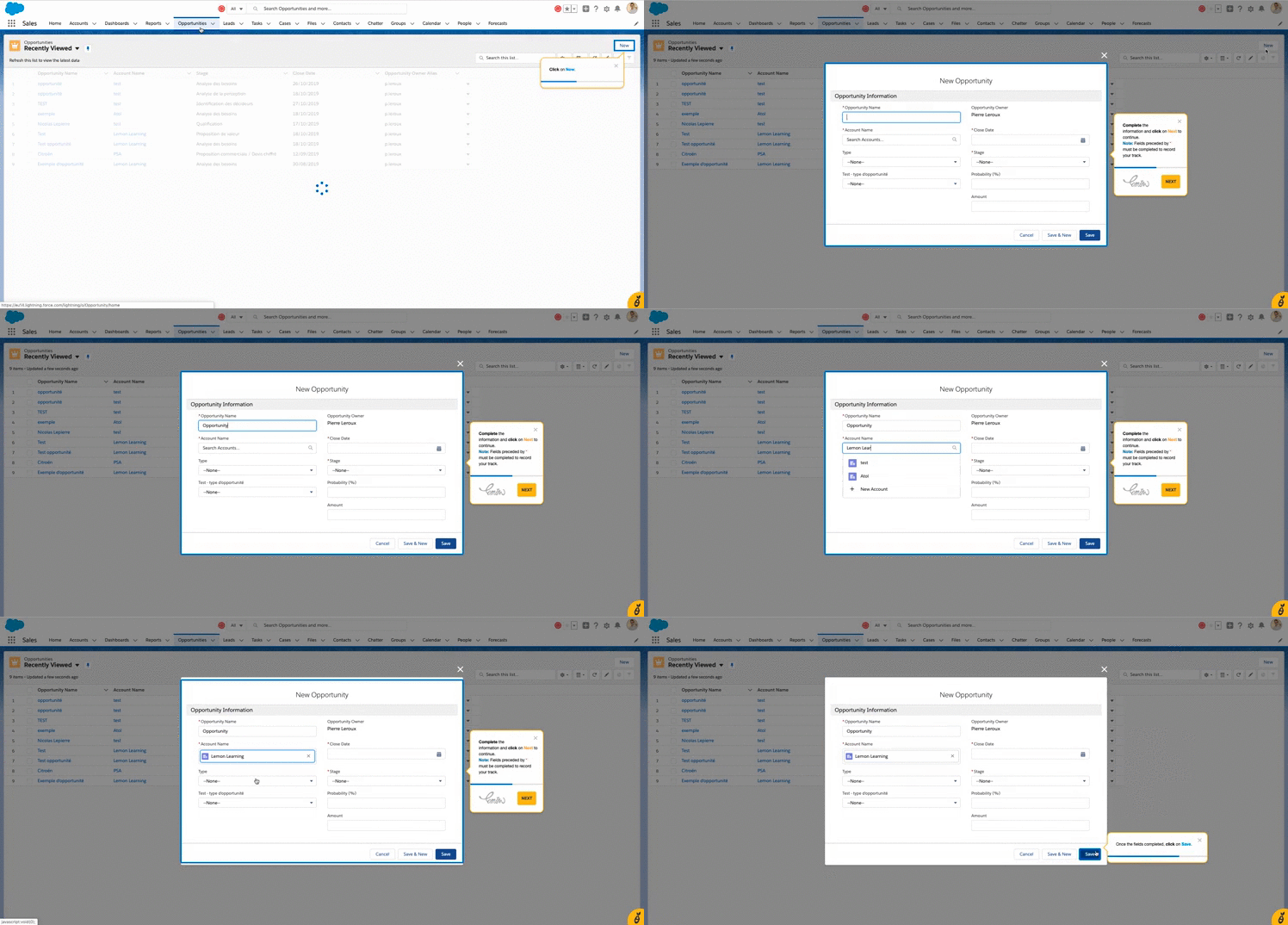
A DAP (Digital Adoption Platform) overlays interactive, step-by-step guides on top of the software interface itself. Employees do not need to leave the tool to find help, watch a separate video, or search a knowledge base. The guidance appears at the exact moment they need it, in the exact context where they are working. This approach, used by Lemon Learning, removes the friction between learning and doing.
2. Employees do not understand why the tool matters to them
If an employee cannot articulate in one sentence how a tool makes their specific job easier, they will not use it. This is not a technology problem; it is a communication problem. Software adoption is a change process, and like every change process it requires a clear, employee-centered answer to the question: "What is in it for me?"
Consider a CRM rollout. Salespeople who see a CRM as management surveillance will avoid it. Salespeople who understand that it gives them a live view of their pipeline, reduces double-entry, and surfaces upsell opportunities will use it. The difference is communication, not the software itself.
"The most important thing is really to talk with users. It is all very nice to say we launched something, but what matters most is whether, in the field, people are satisfied; if not, understand why and what we can do to help."
Marc Cohen, DSI (Chief Information Officer), INRAP, on the CIO Pioneers podcast
To build a communication plan that supports adoption at every stage, start by mapping each employee group to the specific workflow the tool improves for them. Generic "this new system will improve efficiency" messaging does not move the needle. Role-specific examples do.
3. Training is disconnected from the actual work
Most enterprise software training is front-loaded: a classroom session, a slide deck, or a PDF guide delivered before go-live, and then nothing. The problem is that retention collapses the moment employees are back at their desks facing a real task. Training that happens away from the software and weeks before employees need to use it is largely wasted.
"PowerPoint guides are change management of the old world. The open rate of an email with a PowerPoint guide? Generally 5%."
Alexis de Nervaux, CIO (Chief Information Officer), Icade, on the CIO Pioneers podcast
The pattern is consistent across deployments. As one practitioner described it, even when training is timed carefully before go-live, gaps appear immediately after launch because users have forgotten specific operations under the pressure of real work.
Apply the Learning by Doing method
The Learning by Doing approach puts training inside the task itself. Instead of preparing employees to use software, it supports them as they use it. Interactive guides prompt the next step, explain each field, and confirm correct actions in real time. Employees build competence through practice, not through passive consumption of instructional content.
4. Onboarding is the same for everyone, regardless of role or experience
A finance analyst, a regional sales manager, and a new hire in operations do not have the same relationship with technology, the same daily tasks, or the same software needs. A single onboarding experience for all three is almost guaranteed to under-serve at least two of them.
Non-technical business users face a particular challenge here. They often encounter terminology, interface patterns, and workflows that assume a level of digital familiarity they do not have. Without guidance calibrated to their starting point, they disengage quickly. This is one of the most cited challenges for organizations rolling out software to mixed-skill workforces.
Build role-based training paths
A DAP allows administrators to create distinct onboarding paths segmented by role, department, language, or any other relevant criterion. An employee in the HR department sees guides relevant to payroll and absence management. A salesperson sees guides covering pipeline management and opportunity creation. Neither is distracted by content that does not apply to them, and both reach competence faster.
With Lemon Learning, these personalized paths can be built and updated without developer involvement, which means they stay current as the software evolves.
5. There is no support available at the moment of need
The most damaging moment in software adoption is the first time an employee gets stuck and cannot find help quickly. That single frustrating experience creates a negative association with the tool that is difficult to reverse. For employees managing time-sensitive tasks, the path of least resistance is to abandon the tool and find a workaround.
Real-time support is not just about satisfaction scores. It directly affects whether employees return to the tool after an initial bad experience. In-app support available around the clock removes the dependency on IT helpdesk availability and gives employees a reliable path back to productivity whenever they encounter difficulty.
There is also a measurable IT benefit. When employees can resolve common questions through contextual in-app guidance, the volume of repetitive support tickets drops significantly, freeing IT teams for higher-value work.
6. Employees do not feel heard when they raise problems
Adoption does not end at go-live. The weeks and months after a software launch are when the real picture emerges: which features are being used, which workflows are creating friction, and which employee groups are quietly reverting to old habits. The problem is that most organizations do not have a reliable way to collect that signal.
Employees who encounter persistent problems rarely escalate them through formal channels. They simply stop using the tool. Organizations that do not actively seek user feedback after a rollout are, in effect, making decisions about support and improvement in the absence of the most relevant data they have.
Use adoption analytics to find and fix friction points
Lemon Learning's analytics functionality gives administrators a clear view of how employees interact with their software: which guides are triggered most often, where users drop off, and which features show consistently low engagement. This data makes it possible to identify friction before it becomes a dropout pattern, and to prioritize the support content that will have the most impact.
Combine quantitative data from analytics with structured feedback loops, whether brief in-app surveys, post-task prompts, or periodic user interviews, and you have the information needed to improve the adoption experience continuously rather than reactively.
Software usage vs. software adoption: why the distinction matters
It is worth being precise about what adoption actually means, because the distinction shapes how you measure success. Software usage tells you whether an employee opened a tool. Software adoption tells you whether they used it correctly, consistently, and in a way that delivers the business value the tool was purchased to provide.
An employee who logs into an HRIS once a week to check their payslip and nothing else is a user. An employee who uses the same system to manage absence requests, update personal data, and access their performance reviews is an adopter. The gap between those two profiles is where most organizations leave value on the table.
Closing that gap requires all six of the fixes described above working together: reducing tool overload, communicating value clearly, delivering training in context, personalizing onboarding, providing real-time support, and listening to what employees tell you after go-live. That is what a structured change management approach to software rollouts looks like in practice.
For a broader view of where software adoption fits within an organization's digital journey, the distinction between digitization, digitalization, and digital transformation is a useful frame for aligning leadership expectations with adoption realities.
Request a demo
FAQ
Frequently asked questions
What are the most common reasons users fail to adopt new software features?+
The most common reasons include tool overload (employees juggling too many applications at once), poor communication of the tool's value, inadequate or impractical training, lack of personalization in onboarding, no real-time support, and employees feeling their feedback is ignored. Each barrier reduces the likelihood that a new feature will ever become part of a user's daily workflow.
What is the difference between software usage and software adoption?+
Software usage refers to whether an employee opens or interacts with a tool at all. Software adoption goes further: it measures whether employees use the tool consistently, correctly, and in a way that delivers the intended business value. High usage rates can still hide low adoption if employees only access a small fraction of available features or use workarounds instead of the intended workflows.
What challenges do non-technical business users face when learning enterprise software?+
Non-technical users typically struggle with complex interfaces, unfamiliar terminology, a large number of features with no clear starting point, and training materials (such as PDF guides or slide decks) that are disconnected from the actual software environment. Without contextual, step-by-step guidance available inside the tool itself, these users are more likely to revert to familiar but less efficient methods such as spreadsheets or manual processes.
Why do organizations sometimes choose software that is harder to use?+
Organizations often prioritize functionality, integration capabilities, compliance requirements, or total cost of ownership over ease of use during procurement. Enterprise software is frequently selected by IT or procurement teams rather than the end users who will operate it daily, which creates a mismatch between the tool selected and the actual usability needs of the workforce. This is one reason structured digital adoption programs are critical after any major software rollout.
Discover how the Kirkpatrick Model's four levels - Reaction, Learning, Behavior, and Results - help you measure training effectiveness and prove ROI...