Support
What to Look for in Support Ticket Deflection Tools
Evaluate support ticket deflection tools by contextual guidance, cross-app coverage, no-code authoring, analytics, and legacy app support.
Guide users inside their tools
Measure real usage
Keep the app portfolio under control
Compare 6 in-app guidance tools for enterprise software. See how each DAP handles cross-app workflows, desktop support, and support ticket reduction.
Enterprise software rollouts rarely fail because the technology is wrong. They fail because employees do not know how to use the tools once the go-live banner comes down. The result: repetitive support tickets, underused licenses, and adoption metrics that never reach the business case.
In-app guidance tools address that gap by placing step-by-step instructions directly inside the application interface. Instead of pulling users out of their workflow, the right in-app guidance software meets them at the exact moment they need help.
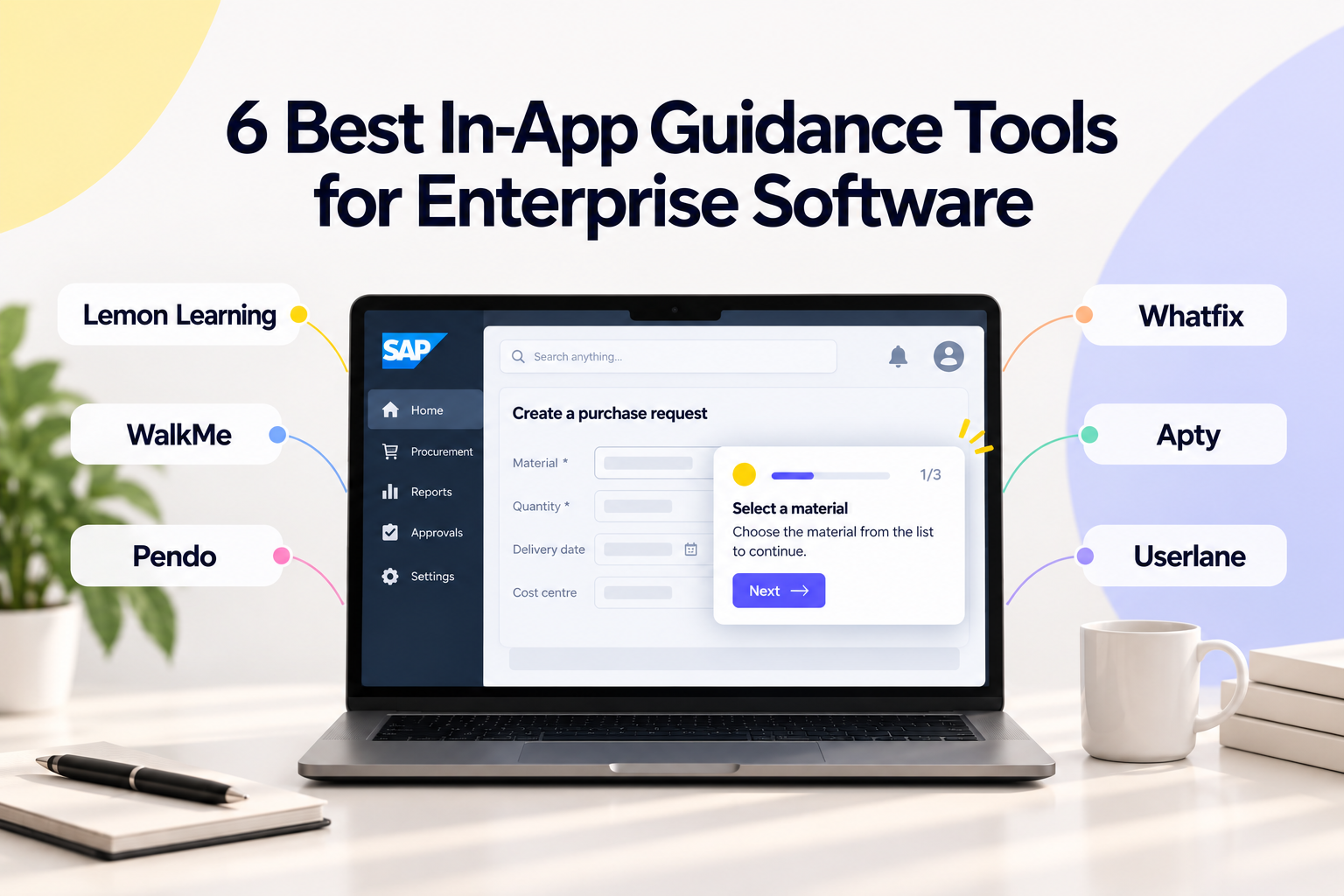
Lemon Learning gives you a unified Digital Adoption Platform (DAP) that combines in-app guidance, adoption analytics, and software governance in one suite. This article evaluates six platforms so you can compare capabilities, identify trade-offs, and shortlist the one that fits your enterprise environment.
➡️ Cross-app guidance that follows a single process across CRM, ERP, and procurement tools without breaking the workflow.
➡️ Coverage of web, desktop, and legacy environments including SAP GUI, Citrix/VDI, and .NET.
➡️ Adoption analytics and software governance in the same suite, with no-code authoring in around three hours.
➡️ Documented outcomes: METRO France reported an 80% reduction in support requests after deployment.
WalkMe: Automation-oriented DAP with workflow triggers for large IT teams
➡️ ActionBot automation that can pre-fill fields and route users through conditional logic.
➡️ An Insights analytics module, with a focus on web applications rather than desktop or legacy systems.
Pendo: Product-analytics-focused platform with in-app messaging for SaaS product teams
➡️ Product analytics with retroactive data capture, plus tooltips, banners, and walkthroughs.
➡️ A strong fit for product and customer experience teams rather than back-office ERP or HRIS onboarding.
➡️ Multi-format export: build a guide once and publish it as an overlay, video, PDF, or article.
➡️ A self-help widget that aggregates internal wikis and knowledge bases into one searchable interface.
➡️ Field-level validation that blocks incorrect submissions before they reach your system of record.
➡️ Compliance logs that create an audit trail for prescribed processes.
➡️ Point-and-click authoring that records browser actions and converts them into walkthroughs.
➡️ A single aggregated adoption metric that simplifies executive reporting, limited to web applications.
Selecting the right DAP requires more than reading feature lists. You need to know how each tool performs where enterprise rollouts typically get complicated: multi-application processes, desktop and legacy environments, and teams spread across regions.
Here is what we evaluated:
Top 6 in-app guidance tools for enterprise software in 2026
Want a wider view of the market? Check out our list of the 11 Best Digital Adoption Platforms (DAPs).
Lemon Learning approaches adoption as a closed loop. You identify where users get stuck using built-in analytics, build the answer with a no-code editor, deploy it to the right role in the right language, and then measure the result.
That loop runs across web applications, SaaS platforms, and desktop and legacy software like SAP GUI, Citrix/VDI, and .NET. This coverage is significant because many enterprise processes do not stay inside a single browser tab.
Lemon Learning reduces your support tickets by guiding employees through multi-step workflows at the exact moment they need help. Organizations like METRO France have reported an 80% reduction in support requests after deployment. Across its customer base of more than 200 enterprises in 70 countries, the platform consistently connects adoption analytics to measurable operational outcomes.
| 👍 Lemon Learning Pros | 👎 Lemon Learning Cons |
|---|---|
| Covers web, desktop, and legacy applications from one platform, including SAP GUI and Citrix | Initial analytics configuration for complex multi-app processes may require close collaboration with the services team during the first rollout |
| Combines adoption, analytics, and governance in a single suite, removing the need for separate point solutions | The breadth of features across adoption, analytics, and governance means admin onboarding takes structured planning to cover all modules |
| No-code editor enables L&D teams to publish guides independently, with most teams productive in around three hours | Organisations using fewer than five enterprise applications may not need the full cross-app and governance capabilities |
WalkMe includes automation capabilities that allow IT teams to set up triggered actions based on user behavior. The platform offers an overlay layer that sits on top of web applications and includes features like SmartTips and ShoutOuts for in-app messaging.
WalkMe has a content-creation environment called the WalkMe Editor, which requires a learning investment to use at full capacity. The platform focuses primarily on web-based applications, and its process analytics component, Insights, tracks user interactions across configured workflows.
| 👍 WalkMe Pros | 👎 WalkMe Cons |
|---|---|
| Automation triggers can pre-fill fields and route users through conditional logic | The WalkMe Editor requires dedicated training for content authors, and complex workflows take longer to build than in simpler no-code editors |
| Insights analytics module tracks user engagement with deployed content | Desktop and legacy application support is not a core capability of the platform |
| Supports integrations with a range of enterprise web applications | Cross-application guidance for processes that span multiple tools is not available as a native feature |
Pendo combines product analytics with in-app guides, and its roots are in SaaS product management. The platform tracks feature usage, session data, and user paths, then lets you layer in-app messages and walkthroughs on top of that data.
Pendo's guide builder allows you to create tooltips, lightboxes, and multi-step walkthroughs. The platform's analytics module gives product teams visibility into how features are used, which can inform where guidance is needed. According to a McKinsey report on digital workplace productivity, connecting usage data to guidance decisions is one of the more effective approaches to reducing employee friction.
| 👍 Pendo Pros | 👎 Pendo Cons |
|---|---|
| Product analytics and in-app guides in one platform, reducing tool sprawl for product teams | Built primarily for SaaS product teams, not for employee onboarding across ERP or HRIS |
| Retroactive analytics capture data before you define the events you want to track | Does not support desktop or legacy application environments |
| Active community and marketplace for sharing guide templates | Cross-application guidance across multiple enterprise tools is not a native capability |
Whatfix focuses on content creation and allows adoption teams to produce guides in multiple formats from a single source. A walkthrough created in Whatfix can be exported as an in-app overlay, a PDF, a video, or a slideshow.
The platform includes a self-help widget that aggregates content from multiple sources, including external knowledge bases. Whatfix has expanded its analytics capabilities and offers flow-based analytics for tracking user journeys through configured processes.
| 👍 Whatfix Pros | 👎 Whatfix Cons |
|---|---|
| Multi-format export removes the need to rebuild the same guide in different formats | Desktop application support is limited compared with platforms that have native desktop agents |
| The self-help widget brings multiple content sources into one interface for end users | Cross-application guidance that follows a user through one process across several tools is not a standard feature |
| Flow analytics track user movement through defined processes | The authoring environment has a longer ramp-up period for non-technical content creators |
Apty positions itself around process compliance and data validation. The platform includes a feature called Process Compliance that checks whether users have completed required steps correctly before they can move forward.
Apty's on-screen guidance includes walkthroughs, tooltips, and announcements. The platform's validation layer can flag incomplete or incorrect data entries in real time, which can be relevant for regulated industries or processes that require audit trails.
| 👍 Apty Pros | 👎 Apty Cons |
|---|---|
| Process validation checks required fields before form submission | Adoption analytics are less detailed than platforms with dedicated page-level and process-level tracking |
| Compliance logs can serve as audit trails for regulated workflows | No native cross-application guidance for multi-tool workflows |
| On-screen guidance with contextual triggers based on user actions | Desktop and legacy application support is not a documented capability |
Userlane offers step-by-step interactive guides that appear as overlays on web applications. The platform includes a proprietary adoption metric called the HEART score, which aggregates data from multiple engagement indicators to produce a single adoption score.
Userlane's guide creation uses a point-and-click approach that records user actions and turns them into step-by-step walkthroughs. The platform also includes an in-app help center where users can search for available guides and self-service resources.
| 👍 Userlane Pros | 👎 Userlane Cons |
|---|---|
| The HEART score gives a single adoption metric that simplifies executive reporting | Limited to web-based applications, with no support for desktop or legacy environments |
| Point-and-click authoring makes guide creation accessible for non-technical teams | No native cross-application guidance for workflows that span multiple tools |
| In-app help centre supports self-service access to guides | Analytics do not offer granular process-level or field-level tracking |
| Platform | Best for | Cross-app guidance | Desktop / legacy | Built-in governance |
|---|---|---|---|---|
| Lemon Learning | Enterprise ticket reduction and cross-app guidance | ✅ | ✅ | ✅ |
| WalkMe | Automation triggers for large IT teams | ❌ | ❌ | ❌ |
| Pendo | SaaS product teams focused on analytics | ❌ | ❌ | ❌ |
| Whatfix | Multi-format content for distributed teams | ❌ | ❌ | ❌ |
| Apty | Compliance and validation in regulated workflows | ❌ | ❌ | ❌ |
| Userlane | Web app onboarding with a single adoption score | ❌ | ❌ | ❌ |
Repetitive support requests often originate from the same process steps. Employees encounter an unfamiliar field, cannot remember a multi-step procedure, or misinterpret a form label. Each of those moments generates a ticket.
In-app guidance intercepts those moments by placing the answer directly in the interface. When a user reaches the problematic step, the guide appears automatically. This reduces the volume of Level 1 and Level 2 tickets that reach your service desk.
The compounding effect matters. As you publish more guides targeting high-ticket-volume processes, the cumulative reduction accelerates. Lemon Learning customers have documented support ticket reductions of up to 80%, which frees your support team to focus on higher-complexity issues that require human judgment.
Start with your application landscape. If your enterprise runs processes that cross multiple tools, you need a platform that supports cross-application guidance natively. A tool that only covers web applications will leave desktop and legacy systems unaddressed.
Next, consider who will create and maintain the content. A no-code editor that your L&D or operations team can use independently reduces dependency on IT and shortens the time between identifying an adoption gap and deploying a fix.
Finally, evaluate analytics. You need to see where users drop off, which steps cause errors, and how adoption metrics change after you deploy a guide. Lemon Learning connects each of those data points in a single governance and analytics layer, so the insight-to-action cycle stays short.
Lemon Learning stands apart because it treats adoption as an operational discipline, not a one-time deployment project. The platform's approach connects analytics, guidance creation, and governance so that every improvement you make is informed by data and measured after the fact.
Most in-app guidance platforms cover web applications. Lemon Learning extends that coverage to desktop and legacy environments like SAP GUI, Citrix, and .NET, which means your entire application portfolio is addressable from one platform. That breadth matters when a single business process spans your CRM, ERP, and procurement system.
Lemon Learning delivers measurable enterprise outcomes, from an 80% reduction in support tickets to documented savings on training costs. If you are a CIO evaluating how to close the gap between software investment and actual usage, request a personalized demo and see the platform running on your own applications.
In-app guidance software places step-by-step instructions directly inside an application's interface. Users receive contextual help at the moment they need it, without leaving the tool they are working in.
Lemon Learning delivers this guidance across web, desktop, and legacy applications, covering the full range of enterprise environments.
In-app guidance software places step-by-step instructions directly inside an application's interface. Users receive contextual help at the moment they need it, without leaving the tool they are working in.
Lemon Learning delivers this guidance across web, desktop, and legacy applications, covering the full range of enterprise environments.
A Learning Management System (LMS) delivers training content outside the application, typically as courses or modules. In-app guidance appears inside the application at the point of need.
Lemon Learning replaces the "learn first, then do" model with learning by doing, where employees follow interactive guides while completing real tasks.
Most in-app guidance tools are limited to web browsers. Lemon Learning supports desktop and legacy environments including SAP GUI, Citrix/VDI, and .NET applications, which is a capability most DAPs do not offer.
Deployment timelines vary by scope. Lemon Learning customers typically reach a full rollout in approximately six weeks. The no-code editor allows content authors to start publishing guides independently after about three hours of onboarding.
Track support ticket volume, time-to-competency for new employees, license utilization rates, and guide completion rates. Lemon Learning surfaces these metrics through its adoption analytics module, connecting each data point to a specific business outcome.
Evaluate support ticket deflection tools by contextual guidance, cross-app coverage, no-code authoring, analytics, and legacy app support.
Compare every type of user support software (service desk, help desk, self-service portal, and embedded application support) and learn which...
Discover the key benefits of a digital adoption platform (DAP) for application support: in-app guidance, fewer support tickets, lower costs, and...