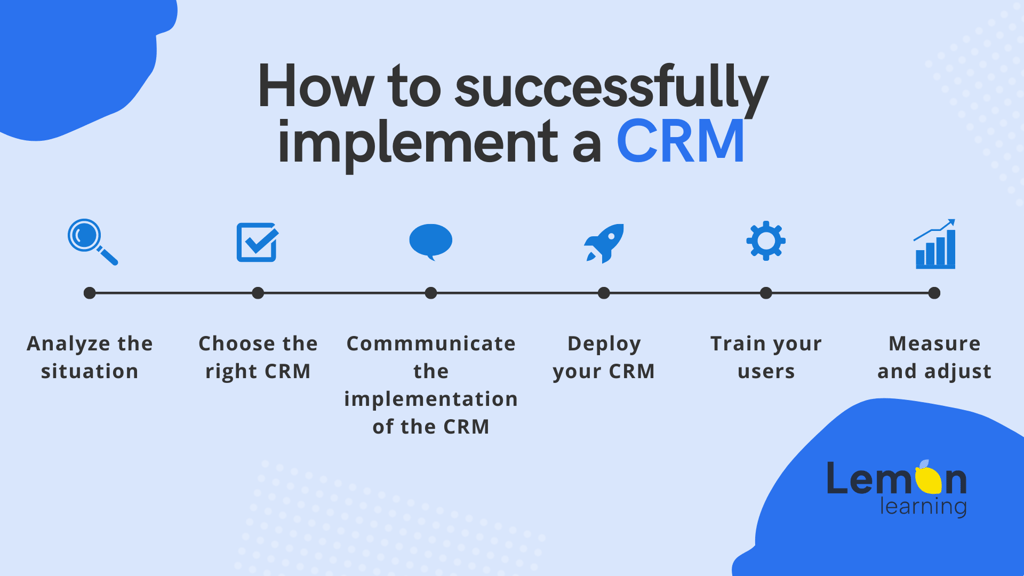
To implement a CRM (Customer Relationship Management) system successfully, you need to complete six core steps: assess your current situation, select the right software, communicate the change, deploy and configure the tool, train end users, and measure results. Skip any one of these and you risk low adoption, wasted budget, and a CRM that nobody actually uses.
Poor project management, resistance to change, and difficulty choosing the right solution are among the most common reasons CRM projects underperform. This guide from Lemon Learning walks through each step of the CRM implementation process so your sales and marketing teams get genuine value from day one. For a deeper look at best practices alongside these steps, see the full CRM implementation guide covering steps and best practices.
What challenges do companies face when implementing a CRM system?
A successful CRM software implementation is, first and foremost, software that is genuinely adopted by the people who use it every day. That is harder than it sounds. Research by CSO Insights found that a large share of CRM users rely on fewer than half of the features available to them. That gap between capability and actual use translates directly into lost leads, poor customer data quality, and weaker sales performance.
The root causes tend to cluster around a few recurring problems: unclear goals at the start of the project, a tool that does not fit actual workflows, inadequate training, and change that is announced rather than managed. Understanding these risks upfront is the first step toward avoiding them.
"You can run the most interesting project in the world, but if there is no support for users, adoption will be very limited. So you need tools that let people build skills on these new tools easily and intuitively."
Pierre-Alexandre Mass, DSI de transition, on the Lemon Learning podcast
Step 1: How do you assess your situation before choosing a CRM?
Start by mapping your current reality before touching any software. A thorough inventory of your existing processes, data, and pain points gives the entire project a factual foundation and helps you avoid buying features you do not need.
Ask the following questions at this stage:
Why does your organization need a CRM system right now?
What is the primary business goal - better pipeline visibility, faster follow-up, improved reporting, or something else?
Which teams and roles will work in the CRM daily?
What data currently lives in spreadsheets, email threads, or legacy tools that will need to be migrated?
What integrations with existing systems (ERP, marketing automation, support desk) are required?
What does a realistic budget look like, including software, services, and training?
Involve all stakeholders from the start
Implementing a CRM without input from the people who will use it daily is one of the fastest routes to a failed project. The three groups you need involved from day one are:
Stakeholder group
Why they matter
Key responsibility
CRM project manager
Owns the project from specifications to go-live
Coordinates timeline, vendors, and internal teams
Senior management
Provides authority and budget backing
Removes blockers and signals organizational commitment
End users (sales, marketing, service)
Determine whether adoption succeeds or fails
Validate requirements, flag usability issues, become internal champions
Appointing a dedicated CRM project manager is strongly recommended. This person is accountable for the CRM specification, change management plan, deployment, and long-term adoption outcomes.
Step 2: How do you select the right CRM solution for your needs?
Once the inventory is complete, evaluate CRM platforms against your documented requirements - not against vendor marketing. Well-known platforms such as Salesforce, Microsoft Dynamics 365, SAP, Sage, HubSpot, and Oracle are used widely, but the right choice is the one that fits your specific workflows, team size, and budget.
When evaluating CRM solutions for your industry or organization, weigh these criteria:
Total cost of ownership: Include licensing, implementation services, data migration, training, and ongoing support - not just the monthly subscription price.
Integration compatibility: Confirm the CRM connects reliably with the tools your teams already use.
Functional fit: Map core features (pipeline management, contact records, reporting, automation) against your requirements list from Step 1.
Ease of use: A CRM that is difficult to navigate will be abandoned. Request a hands-on trial with real end users before committing.
Vendor support and roadmap: Assess the quality of technical support and whether the product is actively developed.
Scalability: Ensure the platform can grow with your team and data volume over time.
Customer references: Seek out reviews and references from organizations of a similar size and in a comparable industry.
Step 3: How should you communicate a CRM project to employees?
Effective communication is a non-negotiable part of any CRM system implementation. Introducing new software changes daily workflows - task automation replaces manual steps, data entry processes shift, and reporting structures change. If employees do not understand why the change is happening and what it means for them, resistance is the predictable result.
A communication plan for a CRM project should address:
The reason for the change: What problem is the CRM solving? Be specific and honest.
Who is affected: Which departments, roles, and processes will change and when.
What the timeline looks like: Key milestones so employees can plan ahead.
What is in it for the team: Concrete benefits such as less time on admin, better pipeline visibility, or faster customer response times.
Where to ask questions: A named contact or a feedback channel so concerns do not fester.
Build a digital culture, not just a deployment plan
If your organization is partway through a broader digital transformation, the CRM rollout is unlikely to be the last software change your teams experience. Building a culture where employees are comfortable with digital tools reduces resistance not just for this project but for every one that follows. Demystifying technology - through regular demos, peer champions, and transparent communication - lowers the anxiety that drives poor adoption.
For a closer look at the specific obstacles that derail CRM rollouts, the article on overcoming CRM adoption challenges covers the most common resistance patterns and how to address them.
Step 4: How do you deploy a CRM system effectively?
Deployment is where planning meets reality. A phased rollout - starting with a core group of users or a single business unit before expanding company-wide - reduces risk and gives you early feedback to act on before a full rollout.
The deployment phase has three distinct stages:
Configure the CRM to match your processes
A CRM configured to reflect the way your sales team actually works will be adopted. One that forces people into unfamiliar workflows will be ignored. Map your existing sales process into the CRM fields, pipeline stages, and automation rules before any user touches the live system.
Test before go-live
Run structured testing with a representative group of end users. Confirm that data imports are accurate, integrations are working, and that automated workflows trigger correctly. Fix issues at this stage rather than after go-live.
Provide in-app support from day one
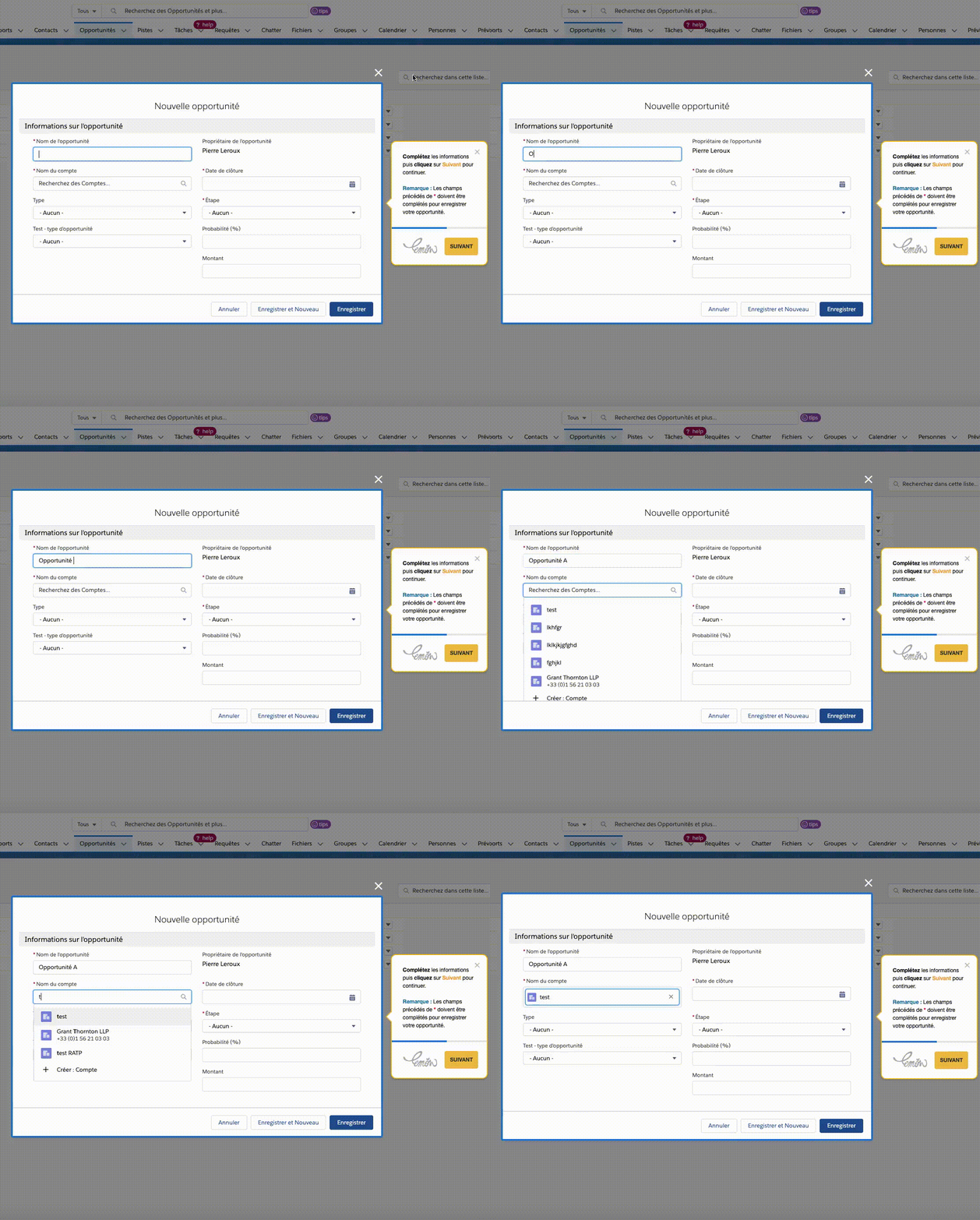
With Lemon Learning's digital adoption platform, application support is embedded directly inside the CRM - no need to open a separate help portal or wait for a ticket response. Users get step-by-step guidance on tasks such as creating a new lead in Salesforce, managing records in Oracle, or generating a quote in SAP, all in real time and in context. The result is fewer support tickets, lower IT costs, and faster time-to-competency for every user.
This approach to embedded support connects directly to the broader case for a sales operations enablement solution that keeps guidance inside the tools sales teams use daily.
Discover Lemon Learning
Step 5: How do you train users on a new CRM system?
Training is the step that most directly predicts whether CRM adoption succeeds or fails. A go-live event without proper user preparation produces the worst outcome: people in the system making errors, losing confidence, and reverting to old habits.
Effective CRM training has three qualities:
It is role-specific: A sales development representative needs different guidance than a marketing analyst. Generic training covering every feature wastes time and reduces retention.
It is available at the point of need: Training delivered weeks before go-live is largely forgotten by the time users need it. In-app guidance available at the moment a user encounters a new task is far more effective.
It is short and focused: Microlearning - short interactive guides of three minutes or less covering a single task - outperforms long classroom sessions for software adoption because it fits into a working day without disrupting it.
Use microlearning for CRM skill-building
Lemon Learning's embedded microlearning guides walk users through specific CRM tasks - creating a contact, logging a call, building a report - directly inside the application. Users do not need to leave the CRM to find help. They follow an interactive step-by-step guide, complete the task in real time, and build competence through repetition.
For organizations evaluating a dedicated sales training software investment, this model delivers measurable reductions in onboarding time and support volume.
Step 6: How do you measure and improve CRM performance after launch?
Deploying and training is not the finish line - it is the starting point for ongoing improvement. Measuring the ROI (Return on Investment) of your CRM implementation requires tracking both adoption and business outcome indicators from the moment the system goes live.
Useful KPIs (Key Performance Indicators) to track include:
User login rates and active usage by role
Data completeness and error rates in CRM records
Sales team response times to new leads
Volume of support tickets related to CRM usage
User satisfaction scores gathered through regular surveys
Pipeline accuracy and forecast reliability compared to pre-CRM baselines
Use learning analytics to make data-driven decisions
Lemon Learning's Learning Analytics capability surfaces behavioral data from inside the CRM itself: which guided workflows users complete, where they drop off, which content formats (text, video, PDF) drive the highest engagement, and which user groups need additional support. This data moves your improvement cycle from guesswork to evidence.
Understanding how to optimize training programs with usage data allows project teams to adjust guides, retarget underperforming user groups, and continuously raise the level of CRM competence across the organization.
After go-live, schedule a formal review at 30, 60, and 90 days. Use the data you have collected to answer these questions: Are users adopting the features identified as critical in Step 1? Are the business outcomes you projected actually materializing? What adjustments to configuration, guidance, or training are needed?
How to implement a CRM system: summary
A well-managed CRM implementation follows a clear sequence. Here is the complete process at a glance:
Step
Action
Key output
1
Draw up an inventory of goals, processes, and data
Requirements document and stakeholder map
2
Select the CRM solution that fits your needs and budget
Signed contract and implementation plan
3
Communicate the change to all affected teams
Change communication plan and champion network
4
Configure, test, and deploy the CRM
Live system with embedded in-app support
5
Train end users with role-specific, in-context microlearning
Competent users who adopt the tool confidently
6
Measure adoption and business outcomes, then adjust
Continuous improvement cycle backed by data
The success of your CRM project ultimately rests on end user adoption. A technically perfect deployment that people do not use delivers no return. Investing in communication, training, and ongoing in-app support is not a nice-to-have - it is what separates CRM projects that deliver results from those that become expensive shelfware.
Ready to accelerate CRM adoption in your organization? Find out how Lemon Learning helps teams get to grips with their CRM software faster and with less friction.
Request a demo
FAQ
Frequently asked questions
What are the 4 types of CRM systems?+
The four main types of CRM systems are operational CRM (automating sales, marketing, and service processes), analytical CRM (analyzing customer data to support decisions), collaborative CRM (sharing customer information across departments and partners), and strategic CRM (using customer insights to build long-term relationships). Some frameworks also include a campaign management CRM as a hybrid category.
What are the 5 important steps in CRM implementation?+
The five most widely cited steps in CRM implementation are: (1) define your goals and assess current processes; (2) select the right CRM software for your needs and budget; (3) configure the system and migrate existing data; (4) train end users so they can work confidently in the new tool; and (5) measure adoption and business outcomes, then adjust accordingly. A full implementation plan typically adds stakeholder communication and ongoing support as separate steps.
How long does it take to implement a CRM system?+
Timeline varies by organization size and complexity. A small business rolling out a straightforward cloud CRM may go live in a few weeks. A mid-market or enterprise deployment involving data migration, custom integrations, and multi-team training typically takes three to six months. Highly complex implementations with legacy system integrations can take longer. Phased rollouts, where you deploy core features first and expand later, are a common way to reduce risk and shorten the time to initial value.
How much does it cost to implement a CRM system?+
CRM implementation costs depend on the software licensing model, the level of customization required, data migration complexity, integration work, and training investment. Subscription-based cloud CRM platforms charge per user per month, while on-premise solutions carry larger upfront licensing and infrastructure costs. Organizations should budget not just for software but also for project management, change management, user training, and ongoing support. Getting detailed quotes from vendors and factoring in total cost of ownership gives a more accurate picture than list price alone.