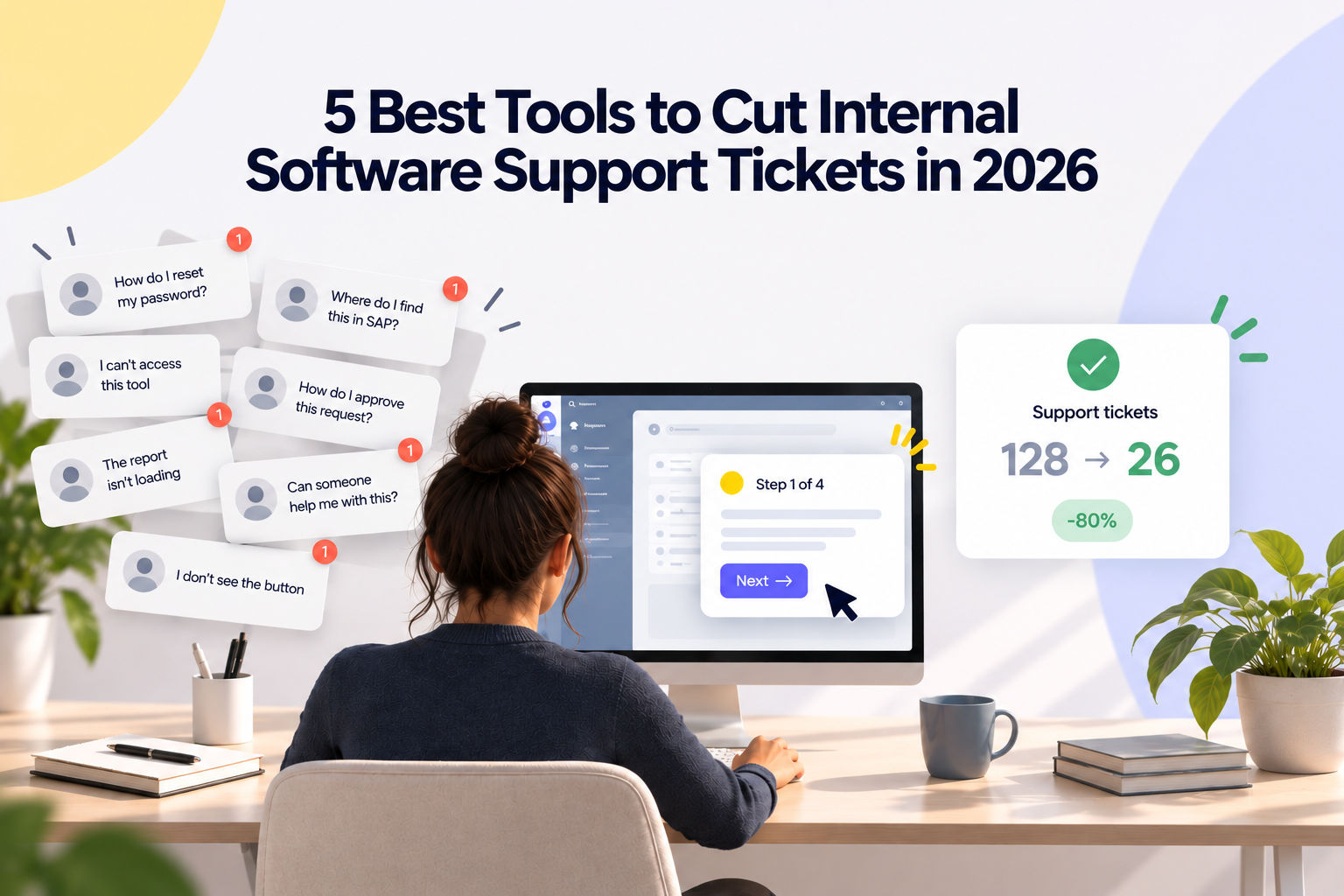
Internal software support tickets consume IT resources that should be spent on strategic projects. When employees submit the same how-to questions week after week, your help desk becomes a bottleneck instead of a business enabler.
The right tools to cut internal software support tickets can redirect that energy by giving users contextual help at the exact moment they need it.
Lemon Learning gives your IT team a direct path to fewer tickets by embedding step-by-step guidance inside every enterprise application, from SAP and Salesforce to desktop and legacy tools. This article compares five platforms designed to reduce internal support ticket volume through in-app guidance, AI self-service, and adoption analytics.
Quick guide: 5 best tools to cut internal software support tickets
- Lemon Learning: The best Digital Adoption Platform (DAP) for enterprise IT teams that need cross-application guidance, desktop coverage, and adoption analytics in one place.
- Pendo: Product analytics with in-app guidance for web-based SaaS applications.
- Whatfix: In-app walkthroughs and content aggregation for web application training.
- WalkMe: Workflow automation and overlays for large-scale web application deployments.
- Userlane: Guided walkthroughs focused on employee onboarding for common enterprise tools.
How we chose the best tools for reducing internal support tickets
Reducing your internal ticket volume depends on specific platform capabilities, not marketing claims. We evaluated each tool against criteria that directly affect whether your support queue shrinks after deployment.
- In-app guidance depth: Can users follow step-by-step walkthroughs, tooltips, and contextual help inside the applications where they work? The fewer times someone has to leave their screen, the fewer tickets they generate.
- Desktop and legacy app coverage: Many enterprises run SAP GUI, Citrix, .NET, or custom in-house software alongside their web tools. A platform that only works in the browser leaves half the support problem unsolved.
- Cross-application guidance: Business processes often span multiple tools. If your guidance stops at the boundary of one app, users get lost when the workflow continues in another.
- AI self-service capabilities: An AI assistant that answers questions in natural language and points users to the right guide reduces the need for a human agent.
- Adoption and process analytics: You need data on where users drop off, which guides get completed, and which processes break at specific steps. Without this, you are guessing where to focus your efforts.
- No-code authoring: If your L&D or Ops team can build and update guides without developer involvement, content stays current and the cost of maintenance stays low.
- Localization and segmentation: Global organizations need guides delivered in the right language, to the right role, on the right screen. Broad, untargeted guidance creates noise instead of clarity.
The 5 best tools to cut internal software support tickets
1. Lemon Learning: Best overall tool to reduce internal support tickets
Lemon Learning is a Digital Adoption Platform built for enterprise IT teams that manage large, diverse application portfolios. The platform layers interactive guides, tooltips, and contextual help directly inside your business software, covering web, SaaS, desktop, and legacy applications.
Where most adoption platforms stop at the browser, Lemon Learning extends guidance to native desktop software such as SAP GUI, Citrix/VDI, and .NET applications. This matters because many enterprises report that desktop and in-house tools generate a disproportionate share of their Level 1 (L1) and Level 2 (L2) support tickets.
Lemon Learning connects adoption and analytics in a single loop. You can see which screens and process steps cause drop-offs through process analytics, then build a targeted guide to fix the exact step where users get stuck.
METRO France deployed Lemon Learning across 98 points of sale and reported an 80% reduction in tickets and incidents at rollout, with zero training sessions required.
Lemon Learning features
- Cross-app guidance: A single walkthrough follows users through processes that span multiple applications, keeping the workflow guided end to end so no step falls through the gaps.
- Desktop and legacy app support: In-app guidance runs on SAP GUI, Citrix, .NET, and other thick-client environments that browser-only platforms cannot reach.
- AI Assistant: Answers user questions in natural language inside the application and connects them to the relevant guide, reducing the support load on your IT team.
- No-code editor: Your L&D and Ops teams can build and publish guides directly on top of live applications, with most contributors productive in about three hours.
- Adoption analytics: Guidance analytics track completion rates, drop-off points, and user engagement at the step level, giving you concrete data to prioritize the next guide you create.
- License optimization: Identifies unused or underused software licenses across your stack, turning adoption data into direct cost savings for IT and finance.
Lemon Learning pros and cons
Pros:
- Covers web, SaaS, desktop, and legacy applications, giving you one platform for your entire stack.
- Combines in-app guidance, process analytics, and governance (including Shadow IT detection and license optimization) in one suite.
- GDPR-compliant by design with 100% European data hosting, a differentiator for regulated industries.
Cons:
- Initial setup for desktop and legacy application guidance requires deploying a native agent alongside the browser extension, which adds one extra step to the rollout.
- Advanced process analytics features are part of the Lemon Analytics product, so full adoption-to-analytics visibility involves activating more than one pillar.
- AI-powered guide creation is a newer capability, so the feature set is still expanding with each release.
2. Pendo: Product analytics with in-app messaging for SaaS tools
Pendo combines product analytics and in-app messaging, focusing on how users interact with web-based SaaS (Software as a Service) applications. The platform captures feature usage data and lets you create guides and tooltips triggered by user behavior.
Pendo's analytics engine tracks feature adoption, session frequency, and user paths, which can inform your decisions about where to deploy in-app help. The platform does not support desktop or legacy applications, so your SAP GUI or Citrix environment would need a separate solution.
Pendo features
- Product analytics: Tracks feature usage, session data, and user paths across web-based applications to identify where users get stuck.
- In-app guides: Tooltips, lightboxes, and banners triggered by user behavior to guide users through SaaS workflows.
- NPS and feedback: Built-in surveys collect user sentiment data directly inside the application.
Pendo pros and cons
Pros:
- Offers detailed product analytics that help identify which features are underused.
- Includes built-in NPS and feedback surveys for capturing user sentiment.
- Supports guide targeting based on user segments and behavioral triggers.
Cons:
- Does not support desktop or legacy applications (SAP GUI, Citrix, .NET).
- Guide creation is primarily designed for product teams rather than L&D or IT support teams.
- Cross-application guidance for multi-tool workflows is not a native capability.
3. Whatfix: In-app walkthroughs for web application training
Whatfix offers in-app walkthroughs and self-help widgets that overlay web-based enterprise applications. The platform aggregates training content from various sources and surfaces it inside the application where your users work. Whatfix also includes a content analytics layer that shows which guides are being consumed.
The platform focuses on web applications and includes integrations with Learning Management Systems (LMS) for organizations that want to connect in-app guidance to formal training programs.
Whatfix features
- Smart tips and walkthroughs: Pop-up guidance appears on specific fields and buttons to help users complete web-based tasks.
- Self-help widget: Users search for answers from an in-app resource hub without opening a separate support portal.
- Content aggregation: Pulls training materials from multiple sources into a single in-app library.
Whatfix pros and cons
Pros:
- Integrates with LMS platforms to connect in-app walkthroughs to broader training initiatives.
- The self-help widget gives users a single search interface for all available help content.
- Supports multi-format content including videos, articles, and guided walkthroughs in one library.
Cons:
- Desktop and legacy application guidance is limited compared to web-focused features.
- Cross-app process guidance for multi-system workflows is not a core function.
- Content creation for complex enterprise processes can require significant initial effort from administrators.
4. WalkMe: Workflow automation and overlays for web applications
WalkMe overlays web-based applications with guided walkthroughs and automated actions. The platform includes a workflow automation layer that can auto-complete repetitive tasks, which can reduce the number of errors that turn into tickets. WalkMe targets large enterprises running complex web-based deployments.
The platform offers analytics dashboards that track user engagement with walkthroughs and identify completion rates across different user segments.
WalkMe features
- ActionBot: An automation feature that completes repetitive tasks on behalf of the user, reducing data entry errors in web applications.
- Workstation: A centralized hub where users access guides, notifications, and automated actions across multiple web tools.
- Insights dashboard: Reports on walkthrough engagement, completion rates, and user activity patterns.
WalkMe pros and cons
Pros:
- Includes workflow automation that can auto-complete repetitive tasks in web applications.
- The Workstation feature centralizes access to guides and actions across multiple web tools.
- Offers analytics dashboards that track walkthrough engagement and completion.
Cons:
- WalkMe is now owned by SAP, which may affect vendor neutrality for organizations running non-SAP software.
- Desktop and legacy application coverage is limited compared to its web overlay capabilities.
- Implementation for large-scale deployments typically requires dedicated professional services.
5. Userlane: Guided walkthroughs for employee onboarding
Userlane offers step-by-step guided walkthroughs designed to onboard employees onto enterprise web applications. The platform includes a contextual assistance feature that surfaces help content when users reach specific pages or actions.
Userlane includes a Digital Adoption Platform analytics module that tracks user engagement with walkthroughs and measures adoption rates for specific processes.
Userlane features
- Interactive walkthroughs: Step-by-step guides that overlay web applications and walk users through tasks click by click.
- Contextual assistance: Help content surfaces automatically when users reach specific pages or actions.
- Adoption tracking: Analytics module that measures walkthrough completion rates and user engagement.
Userlane pros and cons
Pros:
- The walkthrough builder has a straightforward interface for creating step-by-step guides.
- Contextual assistance triggers help content based on user location in the application.
- Adoption tracking includes completion rates and engagement metrics for each guide.
Cons:
- Does not support desktop or legacy applications (SAP GUI, Citrix, .NET).
- Cross-application guidance for workflows spanning multiple tools is not available.
- Advanced analytics such as step-level process drop-off tracking are not included.
Comparison table: best tools for reducing internal support tickets
| Platform |
Desktop / legacy apps |
Cross-app guidance |
AI self-service |
| Lemon Learning |
✅ |
✅ |
✅ |
| Pendo |
❌ |
❌ |
❌ |
| Whatfix |
❌ |
❌ |
✅ |
| WalkMe |
❌ |
❌ |
✅ |
| Userlane |
❌ |
❌ |
❌ |
How does in-app guidance reduce internal IT support tickets?
In-app guidance reduces internal IT support tickets by answering recurring user questions at the point where they occur, inside the application, before a ticket is created. When employees can follow a contextual walkthrough or tooltip on the exact screen where they are stuck, the question resolves itself.
The effect is most visible on L1 and L2 tickets, which typically cover how-to questions, navigation confusion, and form-completion errors. These categories often account for a large share of total help desk volume.
According to a 2025 analysis presented at Gartner Digital Workplace Summit London, repeated diagnosis and failed self-service are among the largest operational costs in enterprise IT support.
By deploying targeted tooltips and walkthroughs on the screens that generate the most tickets, your IT team can systematically remove the root causes of repetitive requests. The result is a smaller queue, faster resolution for complex issues, and more capacity for projects that move the organization forward.
What should enterprise IT leaders look for in a support ticket reduction tool?
Enterprise IT leaders should look for application coverage that matches their actual software portfolio, not just the web-based portion of it. In many organizations, desktop and legacy applications such as SAP GUI, Citrix, and custom in-house tools generate a significant share of repetitive tickets.
A tool that only covers web applications leaves that ticket volume unaddressed. Look for platforms that offer cross-application guidance so your walkthroughs can follow a user through a process that spans multiple systems.
Analytics that measure adoption at the process step level, not just at the guide level, give you the data to prioritize which content to build next.
AI self-service capabilities, such as an in-app assistant that can answer questions in natural language and direct users to the relevant guide, further reduce the load on your support team.
Evaluate how quickly your own team can author and update content. A no-code editor that puts content creation in the hands of L&D and Ops keeps guides current and reduces the total cost of maintaining your adoption program.
Why Lemon Learning is the best tool for cutting internal support tickets
Lemon Learning addresses the gap that generic help desk tools and browser-only adoption platforms leave open: guidance that works across your entire application stack, including the desktop and legacy systems where your most repetitive tickets originate.
Lemon Learning reduces your internal support ticket volume by combining in-app guidance, adoption analytics, and software governance into a feedback loop. You identify where users get stuck through step-level process analytics, build the fix with a no-code editor your team masters in hours, and deploy it to the right user segment.
With more than 200 enterprise customers across 70 countries, Lemon Learning delivers measurable ticket reductions for organizations running Salesforce, SAP, Workday, Dynamics 365, and ServiceNow.
FAQ
Frequently asked questions
What is the fastest way to reduce internal software support tickets?+
The fastest approach is deploying in-app guidance on the specific screens and processes that generate the most L1 and L2 tickets. Lemon Learning lets you build targeted walkthroughs and tooltips directly inside your enterprise applications, so users resolve common questions on their own instead of contacting your help desk.
Can a Digital Adoption Platform replace an IT help desk?+
A DAP does not replace your help desk. It reduces the volume of repetitive requests that reach your agents, freeing them to focus on complex, high-value issues. Lemon Learning deflects routine how-to questions through in-app guidance while your support team handles escalations and systemic problems.
How do you measure the impact of support ticket reduction tools?+
Track ticket volume by category before and after deploying in-app guidance on a specific process. Lemon Learning's process analytics show completion rates and step-level drop-offs, so you can connect each deployed guide to a measurable change in ticket volume for that workflow.
What role does AI play in reducing internal support tickets?+
AI-powered assistants answer employee questions in natural language inside the application and connect them to the relevant guide. Lemon Learning's AI Assistant resolves common queries in real time, reducing the number of requests that reach your support queue and shortening resolution time for the rest.