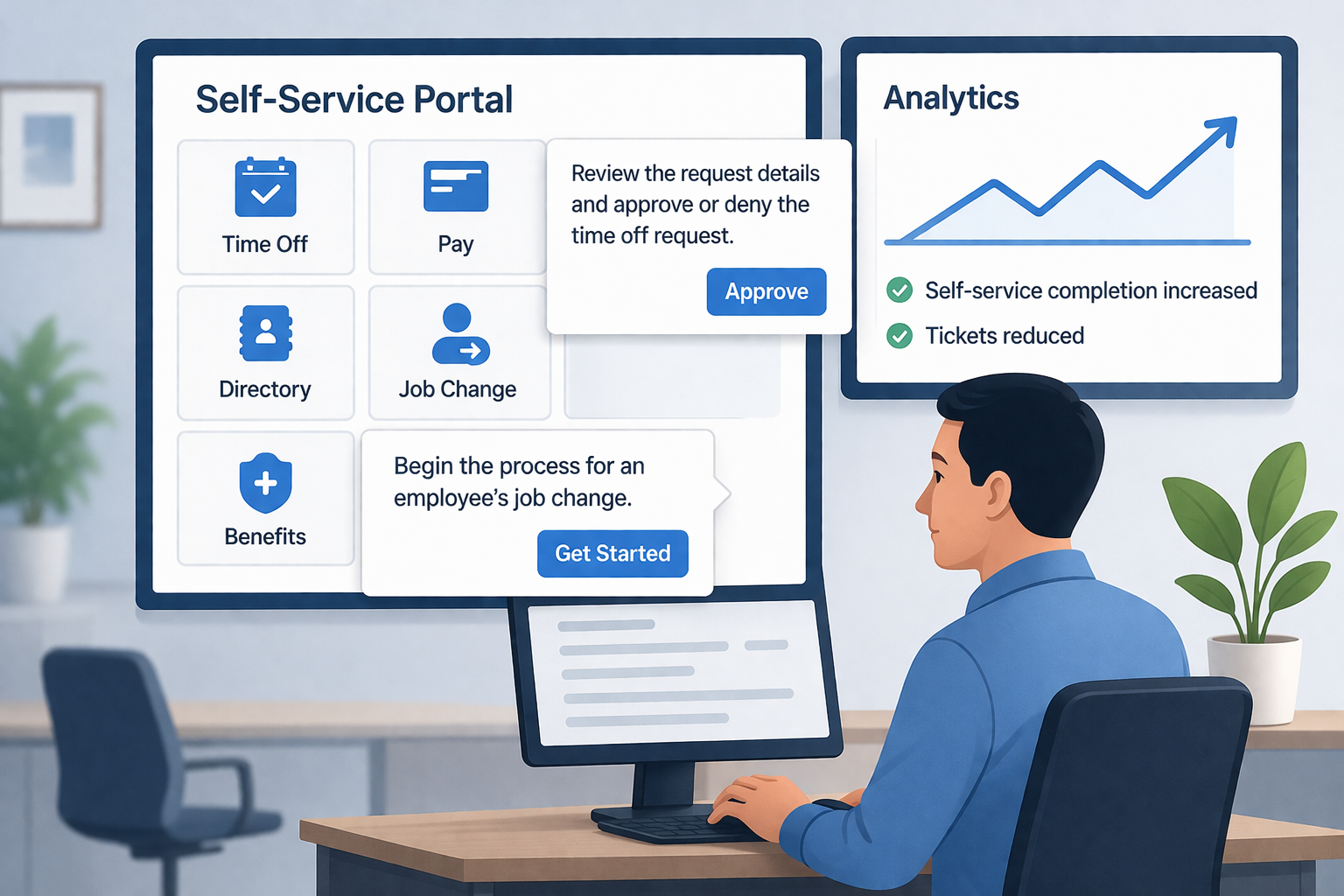
Workday promises efficiency through self-service, yet HR teams still handle routine requests because employees and managers get stuck mid-task. A digital adoption platform (DAP) embeds walkthroughs, tooltips, and a searchable help panel directly inside Workday so users can complete tasks without opening a ticket or leaving the application.
This article shows how to design and scale Workday in-app guidance to increase self-service completion rates, deflect HR tickets, and sustain adoption across every release cycle.
Why does Workday self-service stall?
Self-service breaks down when processes are complex, policies are fragmented, and guidance appears outside the moment of need. Employees can reach the "Change Job" screen but hesitate over which reason code to select. Managers can approve time off yet lack visibility into downstream impacts. After go-live, training decks are quickly forgotten while HR ticket volumes rise.
Workday offers proven frameworks for release planning and adoption, including the Release Best Practices Guide and the Deployment and Rolling Adoption framework, which reinforce a familiar principle: adoption is not a one-time event but an ongoing capability that requires continuous support. The challenge lies in the last mile: delivering the right cue at the exact moment a user needs it.
A DAP closes that gap. It targets content by role, country, or security group and updates guidance within hours of a Workday release, with no code changes to the application required.
"You can run the most interesting project in the world, but if there is no support for users, adoption will be very limited. So you need tools that let people build skills on these new tools easily and intuitively."
How should you design in-app guidance for Workday?
Start by identifying your top five self-service scenarios by ticket volume and business impact. In most enterprises these are time-off requests, expense submissions, address or bank detail changes, job changes, and manager approvals. Review the past three months of HR tickets and sample the reasons for escalation. Map the exact step where users abandon the task and diagnose why: unfamiliar terminology, missing policy context, or ambiguous field labels.
Time-off requests and manager approvals
Display a prompt when a user opens the request page explaining accrual logic and blackout periods. Add a short walkthrough that selects the correct time type and explains approval routing. For managers, surface a guide on the approval screen that highlights what to check before approving, such as team coverage and overlapping requests, and where to find the team calendar. For the common question of how to confirm manager self-service changes in Workday, a tooltip on the summary review screen reminding managers to select Submit before closing the page prevents the most frequent escalation.
Job changes and sensitive field updates
Provide a branching flow that clarifies when to use "Transfer" versus "Change Job," which reason codes to select, and what documentation to attach. Embed a tooltip next to compensation fields that states your policy in one sentence. When validation errors occur, replace cryptic system codes with plain-language fixes. For bank detail or personal data changes, surface a concise policy reminder at the exact field that matters rather than linking to a lengthy document.
Expenses and per diem rules
Show a two-step guide covering how to attach receipts, select the correct category, and avoid common rejection reasons. Include a short reminder about per diem thresholds or client billing rules targeted by cost center. Most tasks can be unblocked with one or two on-screen nudges.
A zero-level support panel inside Workday
Place a persistent help icon that opens a curated library of short guides, FAQs, and videos without leaving the application. Route common search terms such as "bank change," "tax forms," and "new hire" to the relevant item. Lemon Learning's in-app help and microlearning methodology keeps content discoverable and maintainable, so HR can update guidance without rebuilding full training programs. See how embedded application support reduces Level 1 HR tickets and the comparison of LXP versus LMS for HR microlearning for related approaches.
How do you measure and scale Workday digital adoption?
Define success in business terms, not just login counts. Track guided flow completion rates, time to complete key tasks, deflected HR tickets, and error rates in sensitive processes such as bank detail changes or dependent updates. Connect these indicators to outcomes HR leaders care about: faster cycle times, higher data accuracy, and fewer escalations.
Assign process owners to review analytics monthly. Identify where users drop off, then improve either the guidance content or the underlying process. When Workday introduces new features, update in-app content to keep support aligned with the live experience. Workday's own Success Plans Adoption Kit is designed with the same continuous-improvement principle in mind.
As adoption matures, segment guidance by persona: new manager, experienced employee, and HR business partner. Reducing cognitive load for each audience improves completion rates further. For teams managing complex enterprise workflows, a structured approach to in-app guidance for complex enterprise workflows provides a useful framework for scaling content governance.
Communicate progress to stakeholders with concrete outcomes: HR tickets for time-off requests reduced, manager approvals completed faster, data corrections on bank changes decreased. These measurable results validate investment and maintain momentum across HR and IT leadership.
Key takeaways
Self-service adoption fails in the last mile. Workday in-app guidance from a DAP brings policy and help into the transaction itself, deflecting tickets and shortening cycle times without additional training overhead. Start with the top five scenarios, target guidance by role and region, update content with each Workday release, and iterate monthly based on analytics. The payoff for CIOs and HR IT leaders is clear: fewer tickets, faster task completion, better data quality, and visible return on Workday investment.
FAQ
Frequently asked questions
What is Workday Guidance?+
Workday Guidance is a native Workday capability that delivers contextual instructions and AI-driven suggestions inside the Workday interface to help workers complete tasks correctly. A digital adoption platform (DAP) extends this principle by overlaying role-targeted walkthroughs, tooltips, and a searchable help panel directly inside Workday without requiring code changes to the application.
What is in-app guidance?+
In-app guidance is instructional content delivered inside a software interface at the moment a user needs it. Examples include step-by-step walkthroughs, field-level tooltips, pop-up announcements, and an embedded help panel. The goal is to help users complete tasks confidently without leaving the application to search for documentation or raise a support ticket.
What is the Workday Adoption Kit?+
The Workday Adoption Kit is a set of resources Workday provides to help organizations plan, execute, and sustain software adoption. It includes templates, best-practice guides, and frameworks such as the Deployment and Rolling Adoption framework. Organizations typically combine it with a digital adoption platform to deliver live, role-specific guidance inside the product itself.
How do you confirm manager self-service changes in Workday?+
After entering a change in a manager self-service task such as a job change or compensation update, Workday typically presents a summary review screen. The manager must select the Submit or Approve button on that screen to route the action for approval. In-app guidance can surface a tooltip or walkthrough at that exact step to prevent the common mistake of closing the page before submission is confirmed.