Microsoft Copilot adoption that sticks.
Guide employees inside Outlook, Teams, Word, and PowerPoint with in-app prompts, contextual help, and governance reminders, so Copilot adoption becomes measurable, useful, and sustainable.
Buying Copilot licences is easy. Driving real adoption is harder.
Most Copilot programmes stall after launch. Employees try it once, then fall back to old habits. IT teams field more questions, governance concerns grow, and leadership struggles to prove value.
Users are not sure when or how to use it
Without concrete examples, employees do not know which tasks Copilot helps with, and prompt quality varies widely. Generic AI training does not transfer into the apps where work happens.
Governance is invisible in the moment
Compliance and safe-use rules live in policy documents, not on the screen where employees actually prompt Copilot.
Adoption is hard to measure
Licences and logins say nothing about real usage, where people get stuck, or whether enablement is working.
Copilot adoption is not licences. It is people using it well.
Real adoption is employees reaching for Copilot on the right tasks, prompting it well, and staying inside the guardrails. Here is what that looks like in Microsoft 365: a guided task on the real screen, and a reminder about safe, approved use.
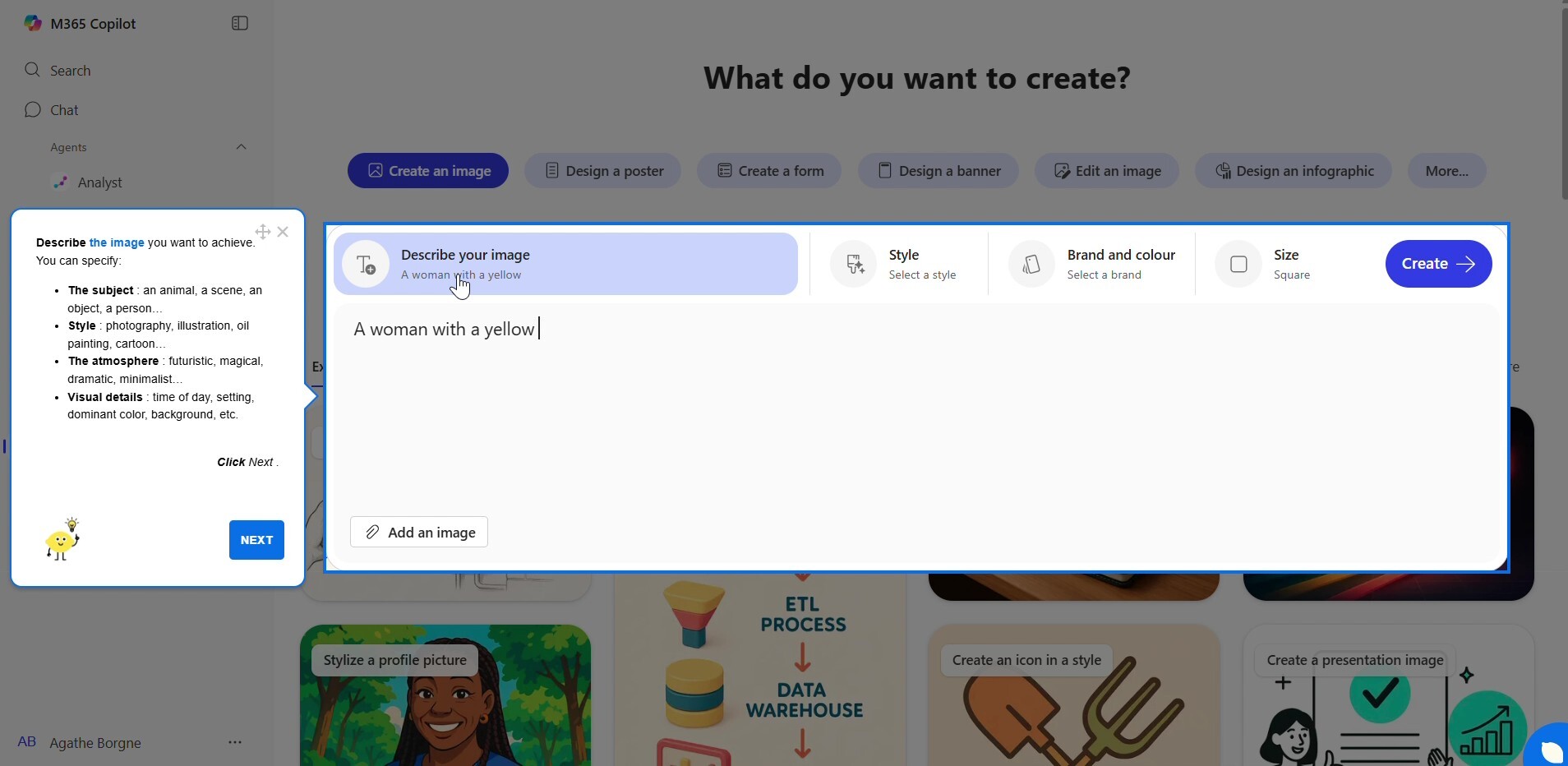
Guided Copilot task
A Lemon guide walks an employee through a real Copilot task, on the real screen.
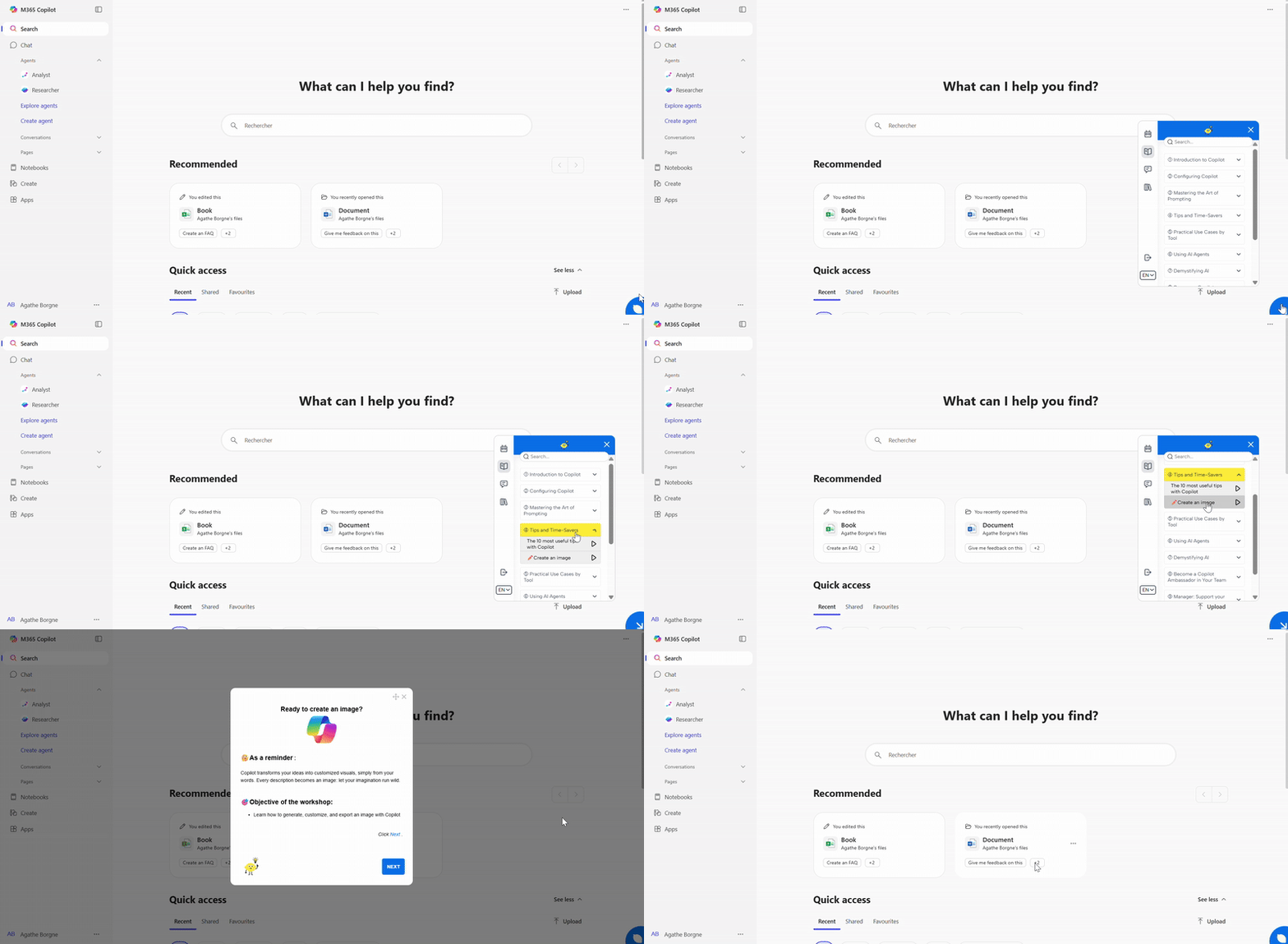
The guide in action
Contextual steps and prompts appear as the employee works, without leaving Copilot.

Turn Copilot into a guided, governed part of daily work.
Lemon Learning embeds short, contextual guidance directly inside Microsoft 365. Employees learn when to use Copilot, how to use it well, and what guardrails apply, without leaving the flow of work.
Walk users through Copilot tasks
Step-by-step guides take employees through real Microsoft 365 workflows, not abstract AI demos.
Learn more →Surface prompts and rules in place
Example prompts, usage tips, and governance reminders on the exact screen where employees work.
Learn more →Promote high-value use cases
Guide rollout waves and highlight the best Copilot scenarios in-app, without inbox overload.
Learn more →Self-serve Copilot help
A searchable hub of approved prompts and guides inside Microsoft 365, so answers do not need a ticket.
Learn more →Answer questions in plain language
Employees ask and get an answer drawn from your approved content, right when they are stuck.
Learn more →Measure adoption beyond licences
Track which scenarios are used, where users get stuck, and how enablement affects outcomes.
Learn more →Built for the Copilot scenarios that matter.
Do not teach "AI" in the abstract. Guide employees through real Copilot moments inside the apps they already use every day.
Also see: all use cases
Summarise meetings and capture next steps
Guide employees to turn a meeting into clear notes and action items, without re-watching the recording, so follow-up starts right away.
- Faster, clearer follow-up
- Action items nobody misses
- Less time spent on recaps
Triage and reply to email
Show how to summarise long threads and draft replies that still sound like the sender, so inboxes move faster.
- Quicker inbox triage
- Faster, on-tone replies
- Less context-switching
Draft documents, decks, and updates
Guide employees to prompt Copilot for a solid first version, a document in Word, a deck in PowerPoint, or an executive update, then refine it instead of starting from a blank page.
- Faster first drafts
- Less blank-page time
- Clearer, more consistent output
Why in-app adoption beats traditional training.
Software adoption works better inside the tool than in decks, webinars, and scattered documentation. The same logic applies to Copilot.
/Sans%20texte/miniature_mazars_sans_texte.png)
/Sans%20texte/miniature_rentacar_sans_texte.png)
Questions about Copilot adoption.
Does Lemon work with Microsoft Copilot and Microsoft 365? +
Yes. Lemon Learning layers in-app guidance on top of Outlook, Teams, Word, PowerPoint, and the rest of Microsoft 365, so help appears on the real screen where employees use Copilot.
Is this just AI training? +
No. Guidance lives in the flow of work and is tied to real tasks, not generic AI courses. Employees learn by doing the actual job, which is what makes adoption stick.
How does Lemon support governance? +
Approved prompts, policy reminders, and safe-use guidance surface in context, so employees see the guardrails at the moment of use instead of in a policy document.
Can we measure Copilot adoption? +
Yes. Analytics show scenario-level usage, where people drop off, and how effective each guide is, so you can prove value beyond licences and logins.
Who builds and maintains the content? +
A no-code editor lets enablement, IT, and operations teams create and update guidance without developers or changes to Microsoft 365.
Make Copilot adoption practical, measurable, and safe.
See how Lemon Learning helps organisations roll out Microsoft Copilot with in-app guidance, governance support, and measurable adoption.
Book a demo